Physical retailers and retail chains
Product and branch enquiries, routing to the relevant branch or sales team, and after-sales conversations.

Connect product assistance, sales enquiries, customer campaigns, order communication and after-sales support around the customer journey.
Help your teams understand customer requirements and create more connected retail experiences.
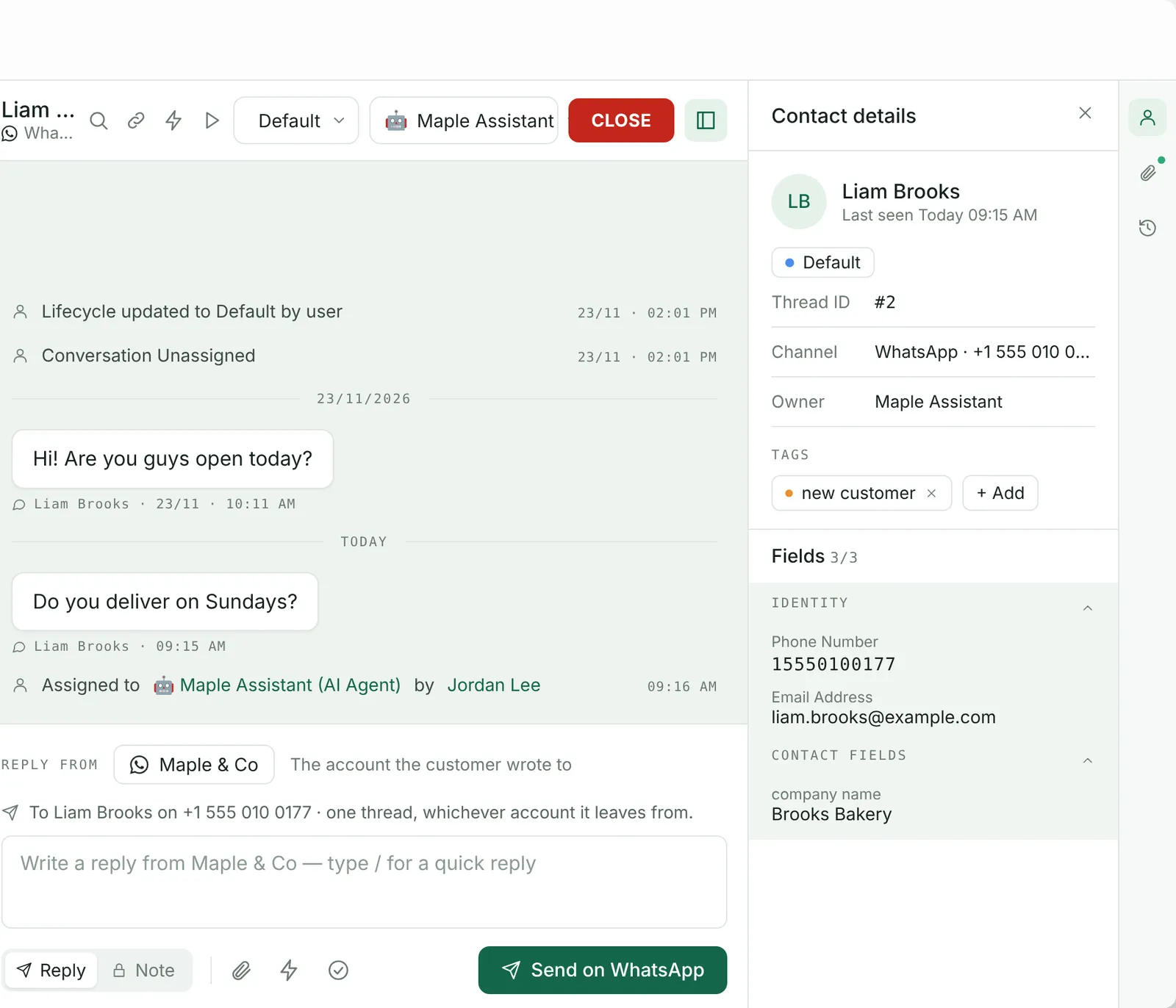
Kinsen supports the communication at each stage. It does not process payments, fulfil orders or act as a complete e-commerce platform.
Attract
Approved WhatsApp templates reach suitable, eligible contacts.
Broadcasts & Campaigns
Engage
Replies and new enquiries arrive in one shared inbox.
Omnichannel Inbox
Assist
Configured AI Agents use approved product information.
AI Agents
Convert
Workflows collect requirements and assign your sales team.
Workflows and Teams
Fulfil
Order updates need your order systems to supply the events.
Integrations
Support
Returns, warranty questions and complaints reach the right people.
Inbox and Teams
Retain
Contact fields and tags help you choose appropriate follow-ups.
Contact Management
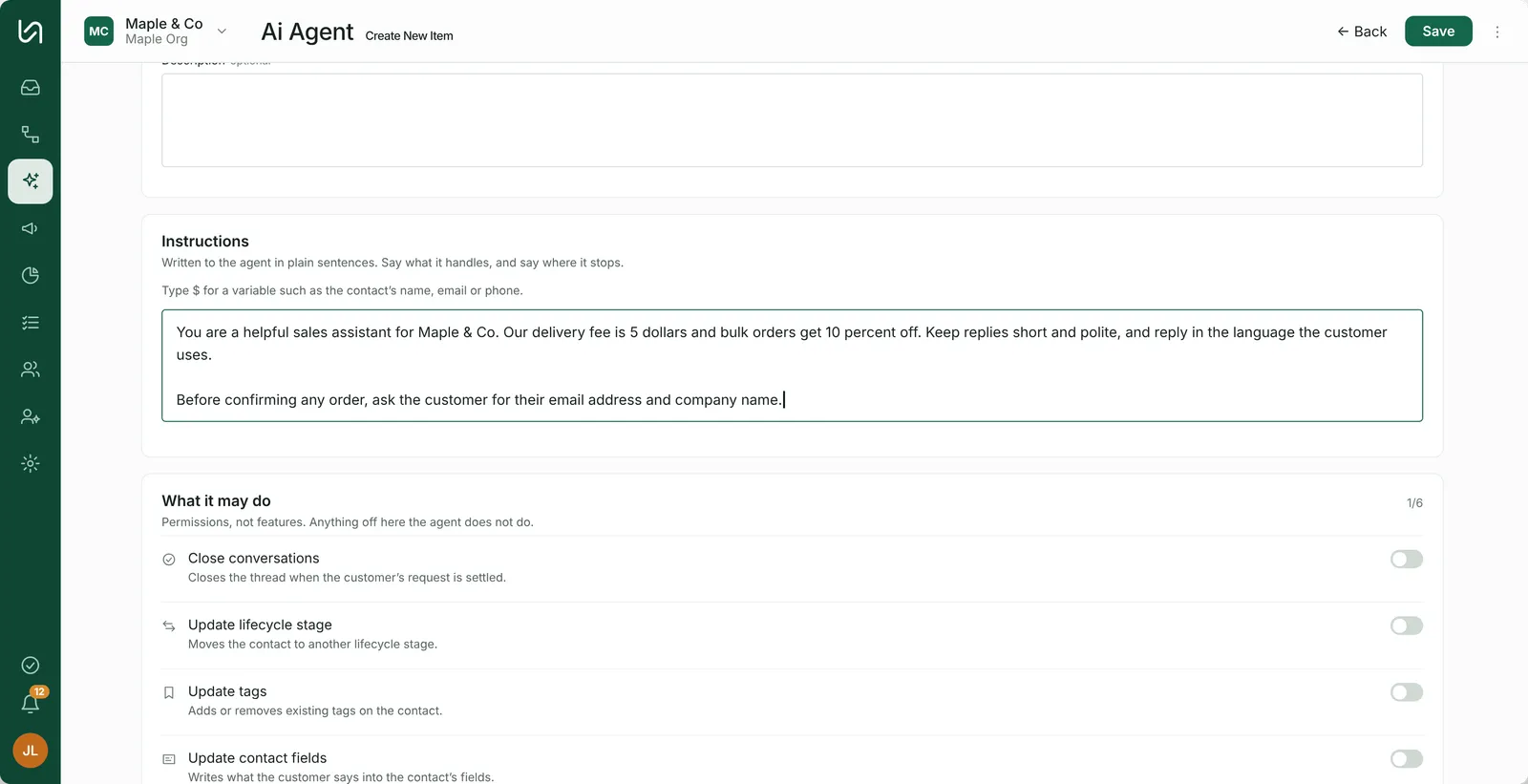
AI Agents can be configured with text-based knowledge and business information you approve. Their answers can be wrong, so test them and keep a route to a person.
A fictional scenario. Current stock and pricing need a suitable connected inventory or product system; this is not a built-in integration or a live lookup.
Step 1 of 4
A fictional customer asks about a specific product variant.
WhatsApp conversation
Do you have the Urban Runner in white, size 42?
Step 2 of 4
In this scenario a configured integration returns a record from a connected inventory and product system.
WhatsApp conversation
Do you have the Urban Runner in white, size 42?
Product: Urban Runner. Colour: White. Size: 42. Stock: 8 units. Price: EGP 2,450.
Step 3 of 4
The agent uses the returned result to answer. Without a connected system it would not know current stock or price.
WhatsApp conversation
Do you have the Urban Runner in white, size 42?
Product: Urban Runner. Colour: White. Size: 42. Stock: 8 units. Price: EGP 2,450.
The Urban Runner in white, size 42, shows 8 units in stock at EGP 2,450. Would you like help from our sales team?
Step 4 of 4
The conversation is handed to sales with the context in view.
WhatsApp conversation
Do you have the Urban Runner in white, size 42?
Product: Urban Runner. Colour: White. Size: 42. Stock: 8 units. Price: EGP 2,450.
The Urban Runner in white, size 42, shows 8 units in stock at EGP 2,450. Would you like help from our sales team?
Yes, please.
Happy to help. Which branch would be most convenient for you?
Scripted demonstration with fictional products, stock and prices. No system or AI model is called and nothing is sent.
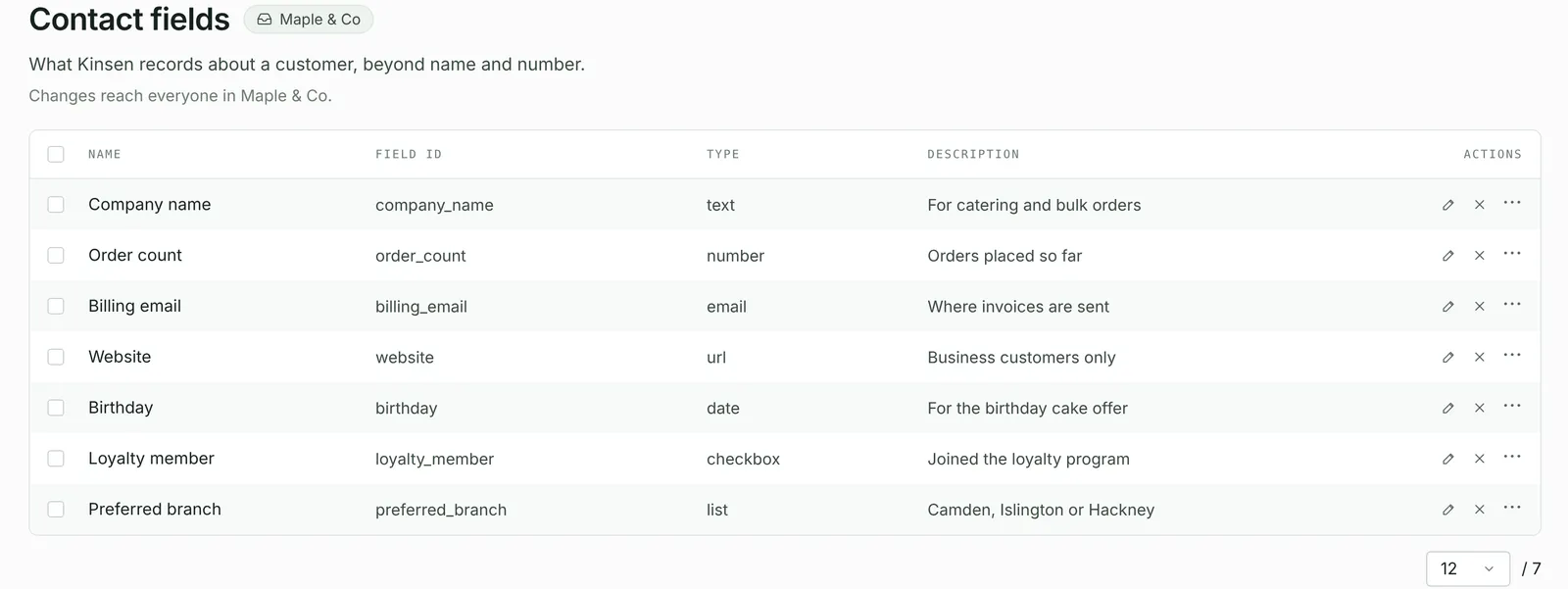
A workflow can collect what the customer is looking for:
It can update contact fields and assign your sales team where configured, with a person available when needed.
Explore Workflow AutomationRespect customer preferences and WhatsApp Business Platform requirements, including consent and approved templates. Kinsen is not a complete consent management system, and no campaign can promise a particular result.
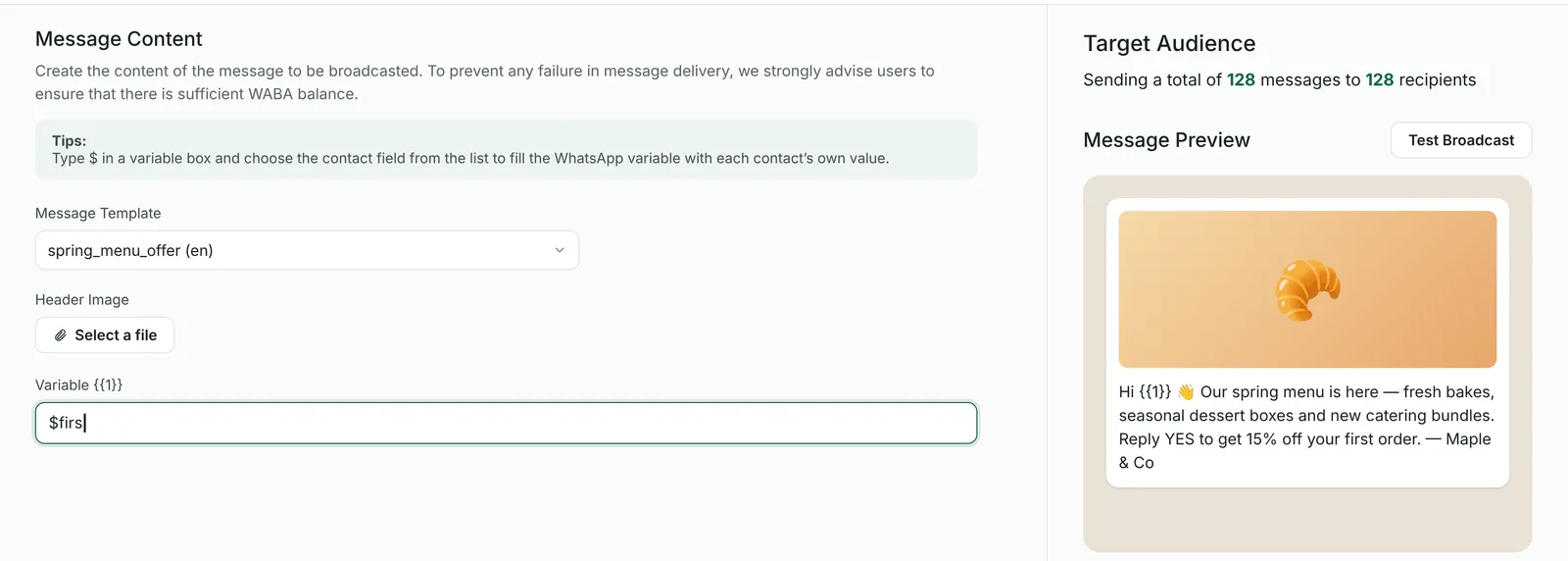
Choose a reply: express interest, ask for more information or ask to stop promotional messages.
Step 1 of 4
A fictional retail campaign reaches a customer as an approved WhatsApp template.
WhatsApp conversation
Hi Liam, our spring menu is here. Reply with: Interested. Tell me more. Or: Stop receiving these offers.
Step 2 of 4
The reply reaches your inbox as a conversation.
WhatsApp conversation
Hi Liam, our spring menu is here. Reply with: Interested. Tell me more. Or: Stop receiving these offers.
Interested.
Step 3 of 4
A configured workflow records the interest and assigns the conversation.
WhatsApp conversation
Hi Liam, our spring menu is here. Reply with: Interested. Tell me more. Or: Stop receiving these offers.
Interested.
Tag added: spring interest. Conversation assigned to the Sales team.
Step 4 of 4
A teammate continues the conversation with the context in view.
WhatsApp conversation
Hi Liam, our spring menu is here. Reply with: Interested. Tell me more. Or: Stop receiving these offers.
Interested.
Tag added: spring interest. Conversation assigned to the Sales team.
Great to hear. Are you ordering for yourself or for an event?
Scripted demonstration of a fictional campaign, not a product screen. No message is sent and no workflow runs. Routing and updates depend on a configured workflow.
Step 1 of 4
A fictional retail campaign reaches a customer as an approved WhatsApp template.
WhatsApp conversation
Hi Liam, our spring menu is here. Reply with: Interested. Tell me more. Or: Stop receiving these offers.
Step 2 of 4
The customer asks for more information.
WhatsApp conversation
Hi Liam, our spring menu is here. Reply with: Interested. Tell me more. Or: Stop receiving these offers.
Tell me more.
Step 3 of 4
A configured workflow sends the information you prepared and asks a next question.
WhatsApp conversation
Hi Liam, our spring menu is here. Reply with: Interested. Tell me more. Or: Stop receiving these offers.
Tell me more.
The spring menu has lemon, berry and pistachio cakes. Would you like to speak with our team?
Yes please.
Step 4 of 4
The conversation moves to a person, following your rules.
WhatsApp conversation
Hi Liam, our spring menu is here. Reply with: Interested. Tell me more. Or: Stop receiving these offers.
Tell me more.
The spring menu has lemon, berry and pistachio cakes. Would you like to speak with our team?
Yes please.
Conversation assigned to the Sales team.
Scripted demonstration of a fictional campaign, not a product screen. No message is sent and no workflow runs. Follow-up messages are subject to WhatsApp Business Platform rules.
Step 1 of 4
A fictional retail campaign reaches a customer as an approved WhatsApp template.
WhatsApp conversation
Hi Liam, our spring menu is here. Reply with: Interested. Tell me more. Or: Stop receiving these offers.
Step 2 of 4
The customer asks not to receive these offers.
WhatsApp conversation
Hi Liam, our spring menu is here. Reply with: Interested. Tell me more. Or: Stop receiving these offers.
Stop receiving these offers.
Step 3 of 4
A configured workflow records the choice on the contact, here with a tag.
WhatsApp conversation
Hi Liam, our spring menu is here. Reply with: Interested. Tell me more. Or: Stop receiving these offers.
Stop receiving these offers.
Tag added: no offers.
Step 4 of 4
The customer gets a short acknowledgement. Your team leaves tagged contacts out when choosing later audiences, and checks that it has.
WhatsApp conversation
Hi Liam, our spring menu is here. Reply with: Interested. Tell me more. Or: Stop receiving these offers.
Stop receiving these offers.
Tag added: no offers.
Understood. We have recorded that you do not want these offers.
Scripted demonstration of a fictional campaign, not a product screen. No message is sent and no workflow runs. This illustrates a workflow you would design. It is not a complete consent management system, and your business remains responsible for honouring preferences.
With the Kinsen mobile app, store teams can answer product enquiries on WhatsApp, Instagram and Messenger, send photos or videos, update supported customer details and tags, and hand a sales conversation to a colleague or team without leaving the shop floor.
With suitable external systems connected, potential applications include:
These may require e-commerce, inventory, ERP or order management integration. Kinsen does not manage orders or carts itself, and outbound messages follow each channel's rules.
Collect and route what customers need once they have bought:
Suitable systems may be connected through APIs, webhooks or custom development. Each is assessed, and these are not built-in connectors.
APIs & IntegrationsProduct and branch enquiries, routing to the relevant branch or sales team, and after-sales conversations.
Product information, relevant campaigns, interactive replies and customer care in one workspace.
Pre-purchase questions and, with suitable integrations, order communication and follow-ups.
Blueprint
Product assistance, sales qualification, campaigns and order communication.
Blueprints are illustrative starting points for a scoped implementation. They are not installable software packages or fixed-price offers, and the scope depends on your requirements and systems.
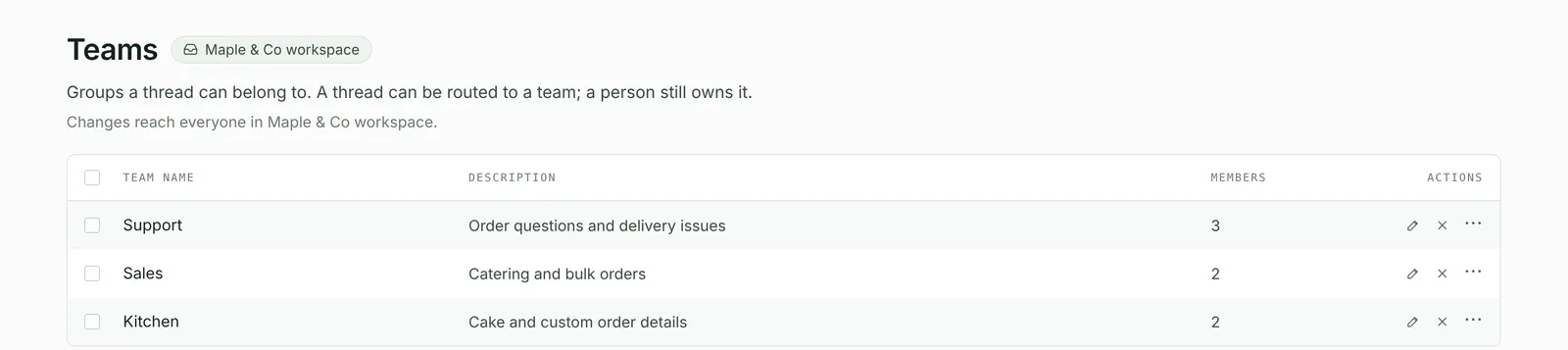
Teams and assignment give conversations clear owners, Bulk Operations help with backlog housekeeping, and the available reports show communication activity. Kinsen does not report sales revenue attribution or lead conversion.
These services are optional and agreed separately. You can also configure Kinsen yourself.
Explore Professional ServicesYes. Enquiries from WhatsApp, Instagram and Messenger arrive in a shared inbox, and AI Agents can be configured to answer from approved product information and hand over to your team.
With a suitable connected inventory, e-commerce or order system. This requires integration and is assessed for your systems. Kinsen does not manage stock or orders itself.
A workflow can ask about product interest, size or variant, branch preference and other requirements, update contact fields where configured and assign your sales team. People take over when needed.
Replies arrive as conversations. Configured workflows can tag, route or follow up according to the reply, and your team can step in.
You can record preferences such as a request to stop promotional messages in contact information and design audiences and workflows around them. This is not a complete consent management system; you remain responsible for consent and messaging rules.
Return, exchange, warranty and complaint enquiries can be collected and routed to the responsible team. Decisions and processing stay with your staff and systems.
It supports the communication: shared conversations, ownership, internal notes and configured follow-ups.
Yes. Professional services are optional and can cover retail implementation, campaign automation, AI Agent configuration, workflows and integrations.
Tell us how customers contact your business and which retail processes you want to improve.