CRM systems
Customer relationship information your team works from.

Connect customer communication with the information and processes behind your business. Use Kinsen's integration capabilities and professional implementation expertise to connect suitable external systems with customer conversations and automation.
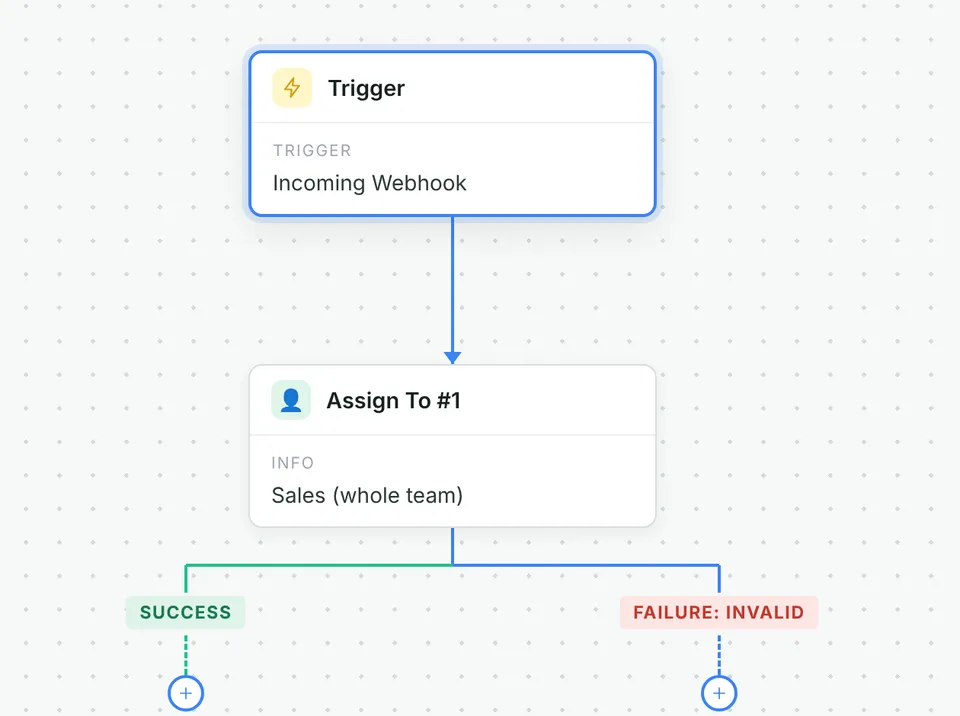
Connect suitable business applications with Kinsen.
Initiate configured customer journeys from relevant external events.
Retrieve appropriate business information during customer communication.
Exchange supported information between connected systems.
Perform permitted external business actions.
Connect communication workflows with wider operational processes.
Categories that configured or custom integration may reach. This is not a directory of ready-made integrations.
Customer relationship information your team works from.
Operational records held in your business platform.
Product details and availability.
Order references and status.
Available times and appointment information.
Reservation information for guest enquiries.
Other compatible business applications may also be suitable. Feasibility depends on the APIs available, appropriate access and what the implementation requires.
Each works in its own direction. An implementation may use one or several.
Authorized external applications can interact with the API capabilities Kinsen makes available. We confirm what your use needs before you build on it.
Direction: your system calls Kinsen.
Your side
Kinsen
An external business event can start a workflow you have configured.
Direction: an event in your system reaches Kinsen.
Event
Receive
Act
A configured workflow can send a request to retrieve information or carry out a supported external action.
Direction: a Kinsen workflow calls your system.
Start
Call
Your side
A configured AI Agent can use an action you permit, to retrieve appropriate information or carry out an allowed task.
Direction: an AI Agent uses a permitted action on your system.
Assist
Permission
Your side
Conceptual diagrams, not product screens.

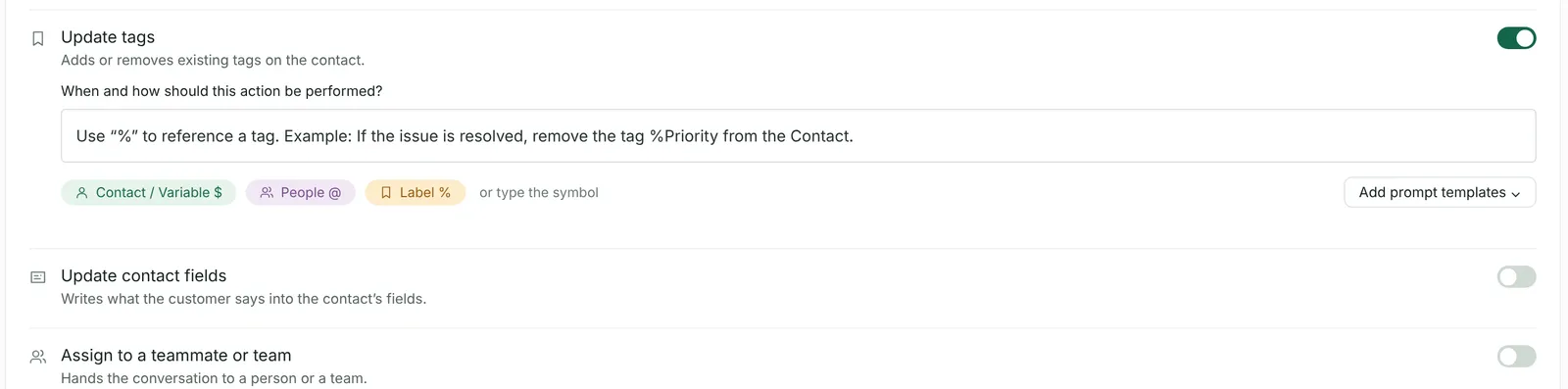
Where another system can send a suitable event, that event can start a workflow you have configured.
Start the journey you have designed for that stage of an order.
Your scheduling system signals that an appointment reminder is due.
Begin the guest communication that fits the event.
Another system signals that something relevant has happened.
Examples to be designed and tested for your systems. Messages to customers remain subject to the messaging rules of the channel.
A configured HTTP request can bring outside information into a business process.
Collect
Request
Evaluate
Continue
A configured AI Agent can use the external actions you permit. Each needs a suitable API, authorized access and configured agent behaviour. It is not open-ended access to your business systems.

Four fictional enquiries. Each would need its own connected system, permitted action and testing.
Step 1 of 4
A fictional enquiry arrives.
WhatsApp conversation
Do you have the Urban Runner shoe in white, size 42?
Step 2 of 4
In this illustration, the AI Agent uses an action it has been configured and permitted to use.
WhatsApp conversation
Do you have the Urban Runner shoe in white, size 42?
Check stock: Urban Runner, white, size 42.
Step 3 of 4
The connected system returns information. This result is invented for the demonstration.
WhatsApp conversation
Do you have the Urban Runner shoe in white, size 42?
Check stock: Urban Runner, white, size 42.
Product: Urban Runner. Colour: White. Size: 42. Available stock: 8 units. Price: EGP 2,450.
Step 4 of 4
The reply uses only the information in the result.
WhatsApp conversation
Do you have the Urban Runner shoe in white, size 42?
Check stock: Urban Runner, white, size 42.
Product: Urban Runner. Colour: White. Size: 42. Available stock: 8 units. Price: EGP 2,450.
Yes. The Urban Runner in white, size 42, is in stock, with 8 units available at EGP 2,450.
Scripted demonstration with fictional data. No AI model runs, no API is called, no system is accessed and nothing is sent.
Step 1 of 4
A fictional enquiry arrives.
WhatsApp conversation
Can you tell me where order #2841 is?
Step 2 of 4
In this illustration, the AI Agent uses an action it has been configured and permitted to use.
WhatsApp conversation
Can you tell me where order #2841 is?
Look up order #2841.
Step 3 of 4
The connected system returns information. This result is invented for the demonstration.
WhatsApp conversation
Can you tell me where order #2841 is?
Look up order #2841.
Order reference: #2841. Status: Dispatched. Estimated arrival: Tomorrow.
Step 4 of 4
An estimate is presented as an estimate.
WhatsApp conversation
Can you tell me where order #2841 is?
Look up order #2841.
Order reference: #2841. Status: Dispatched. Estimated arrival: Tomorrow.
Order #2841 has been dispatched. The estimated arrival is tomorrow. Would you like help with anything else on this order?
Scripted demonstration with fictional data. No AI model runs, no API is called, no system is accessed and nothing is sent.
Step 1 of 4
A fictional enquiry arrives.
WhatsApp conversation
What appointment times do you have available?
Step 2 of 4
In this illustration, the AI Agent uses an action it has been configured and permitted to use.
WhatsApp conversation
What appointment times do you have available?
Retrieve available appointment times.
Step 3 of 4
The connected system returns information. This result is invented for the demonstration.
WhatsApp conversation
What appointment times do you have available?
Retrieve available appointment times.
Available times: 09:30 and 11:00.
Step 4 of 4
Options are offered. No appointment has been confirmed.
WhatsApp conversation
What appointment times do you have available?
Retrieve available appointment times.
Available times: 09:30 and 11:00.
The available times are 09:30 and 11:00. Which would suit you? Nothing is booked yet.
Scripted demonstration with fictional data. No AI model runs, no API is called, no system is accessed and nothing is sent. No appointment is booked or confirmed.
Step 1 of 4
A fictional enquiry arrives.
WhatsApp conversation
Could you check the details of my reservation, reference DEMO-117?
Step 2 of 4
In this illustration, the AI Agent uses an action it has been configured and permitted to use.
WhatsApp conversation
Could you check the details of my reservation, reference DEMO-117?
Retrieve reservation DEMO-117, after the checks your process requires.
Step 3 of 4
The connected system returns information. This result is invented for the demonstration.
WhatsApp conversation
Could you check the details of my reservation, reference DEMO-117?
Retrieve reservation DEMO-117, after the checks your process requires.
Fictional reservation DEMO-117: 2 nights, double room, arrival Friday.
Step 4 of 4
Only the information needed for the question is shared. Verifying the guest is part of designing the real process.
WhatsApp conversation
Could you check the details of my reservation, reference DEMO-117?
Retrieve reservation DEMO-117, after the checks your process requires.
Fictional reservation DEMO-117: 2 nights, double room, arrival Friday.
Reservation DEMO-117 shows a double room for 2 nights, arriving on Friday. For any change, I can pass you to our reservations team.
Scripted demonstration with fictional data. No AI model runs, no API is called, no system is accessed and nothing is sent. The guest and reservation are fictional, and no booking is changed or confirmed.
Connect with a suitable existing API where appropriate.
Use a compatible middleware layer when the integration architecture requires it.
Develop an appropriate connection around the requirements of your existing business system.
Not every system can be connected. The right approach is confirmed after looking at yours.
Decide what each connection is for, what it may reach and who is responsible for it, before it goes into use.
Keep API credentials private, and share customer information only where the process needs it.
Professional integration services are optional and scoped for your systems. Custom development is not automatically included in every subscription.
Explore Professional ServicesPossibly. It depends on whether the system offers a suitable API or can send events, whether you can authorize access and what the process requires. We assess this before agreeing an approach.
Kinsen provides API access, managed with access tokens, for suitable software. Tell us the operations you need so we can confirm what is available. This page is not API documentation.
They let an event in another system start a configured Kinsen workflow.
A workflow can send HTTP requests to exchange information with another system. Whether a particular service works depends on its API, so test it during implementation.
An AI Agent can use external actions that you configure and permit. It needs a suitable API, authorized access and clear instructions. It does not get unrestricted access to your systems.
Do not assume a ready-made connector exists for your system. The categories on this page are possibilities that rely on configuration or custom work.
A compatible middleware layer can be part of an integration where the architecture calls for it. Compatibility is assessed for each case, and the middleware may have its own costs and terms.
Assessing your requirements and systems, designing and building the connection, and testing it. Scope, any ongoing maintenance and charges are agreed separately. Custom development is not included in every subscription.
Tell us about your existing software and communication requirements, and discover how Kinsen could connect them.