Message activity
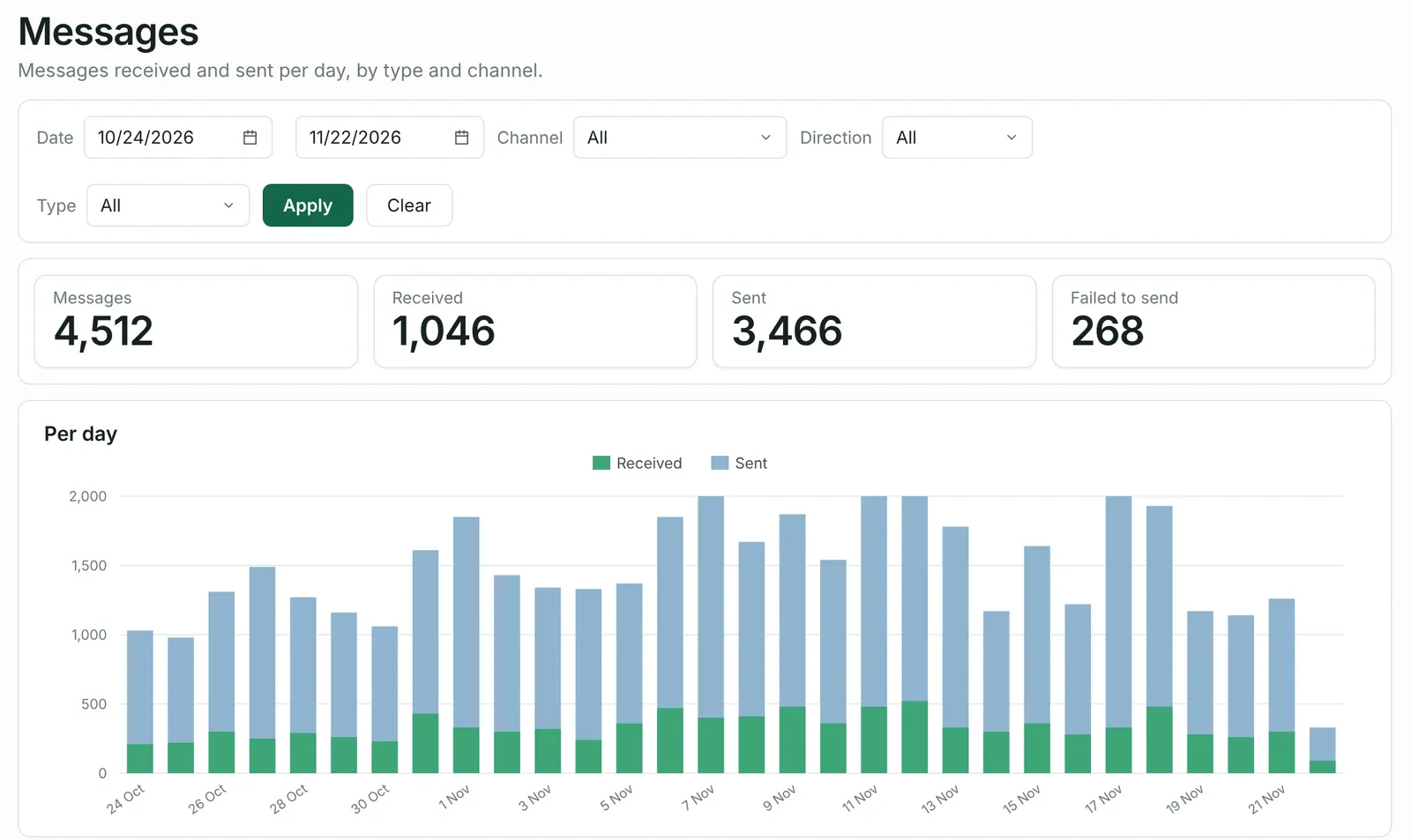
Incoming and outgoing messages, viewed over time.

Understand customer communication activity through dedicated operational reports. Review messaging activity, customer conversations, team performance and campaign records to support better-informed business decisions.
See how much messaging your business is handling.
Follow the volume of customer conversations your team works on.
Understand how your customer communication base is developing.
Review how communication work is spread across your people.
See what the channel reports after messages are sent.
Find the days and hours when customer messages have arrived most.
Keep sight of your campaign records and sending activity.
Reports describe what has happened. Your team decides what it means and what to change.
Activity
Reporting
Review
Improve
Incoming and outgoing message activity over time, with the filters offered on the report.
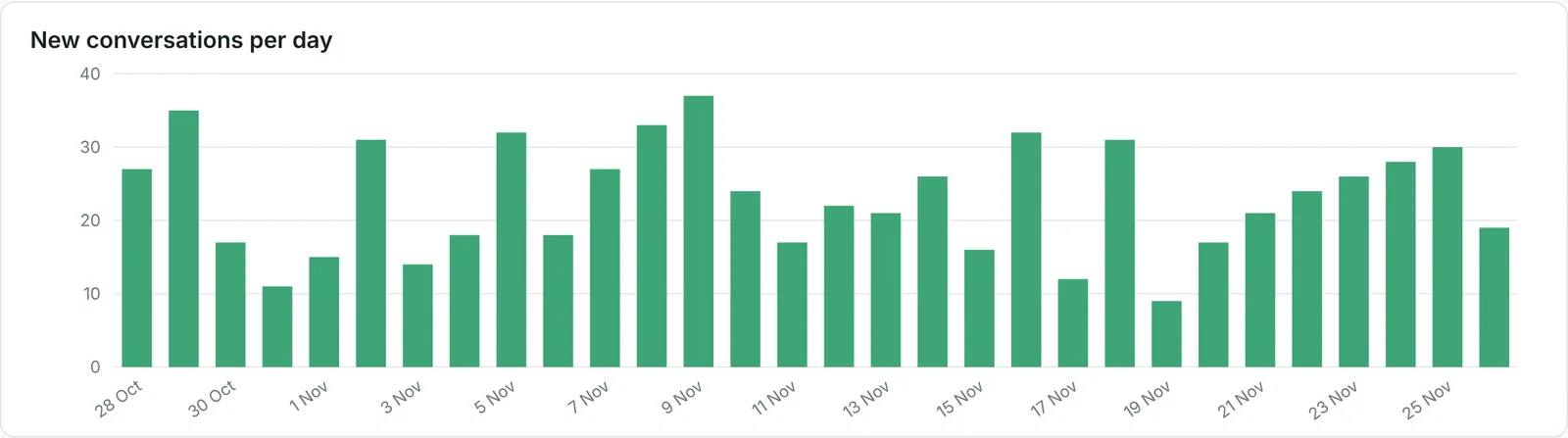
How conversation volume changes from day to day.
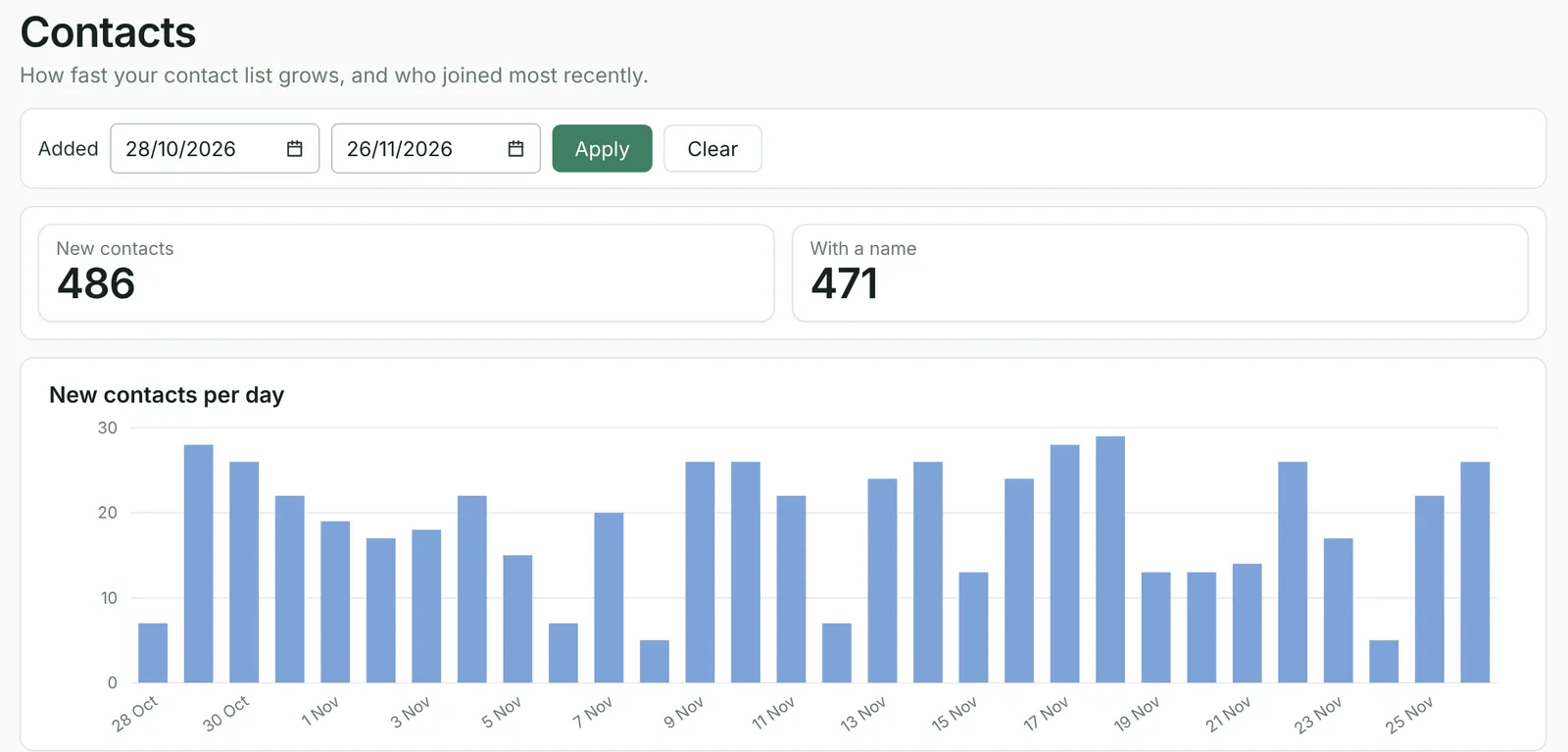
Contacts created over time, to see how your communication base is developing.
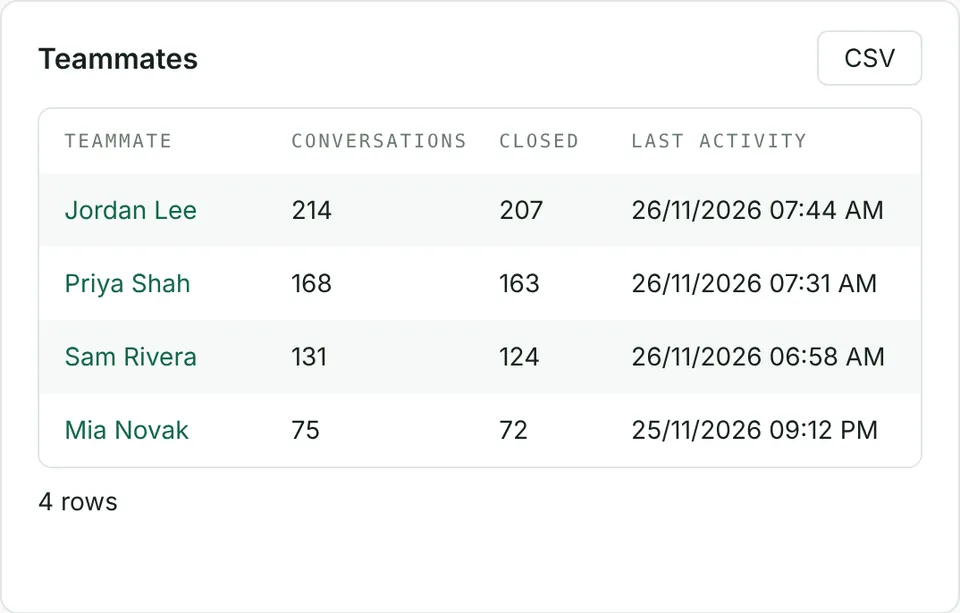
Activity by teammate. Read it alongside what you know about the work each person handles.
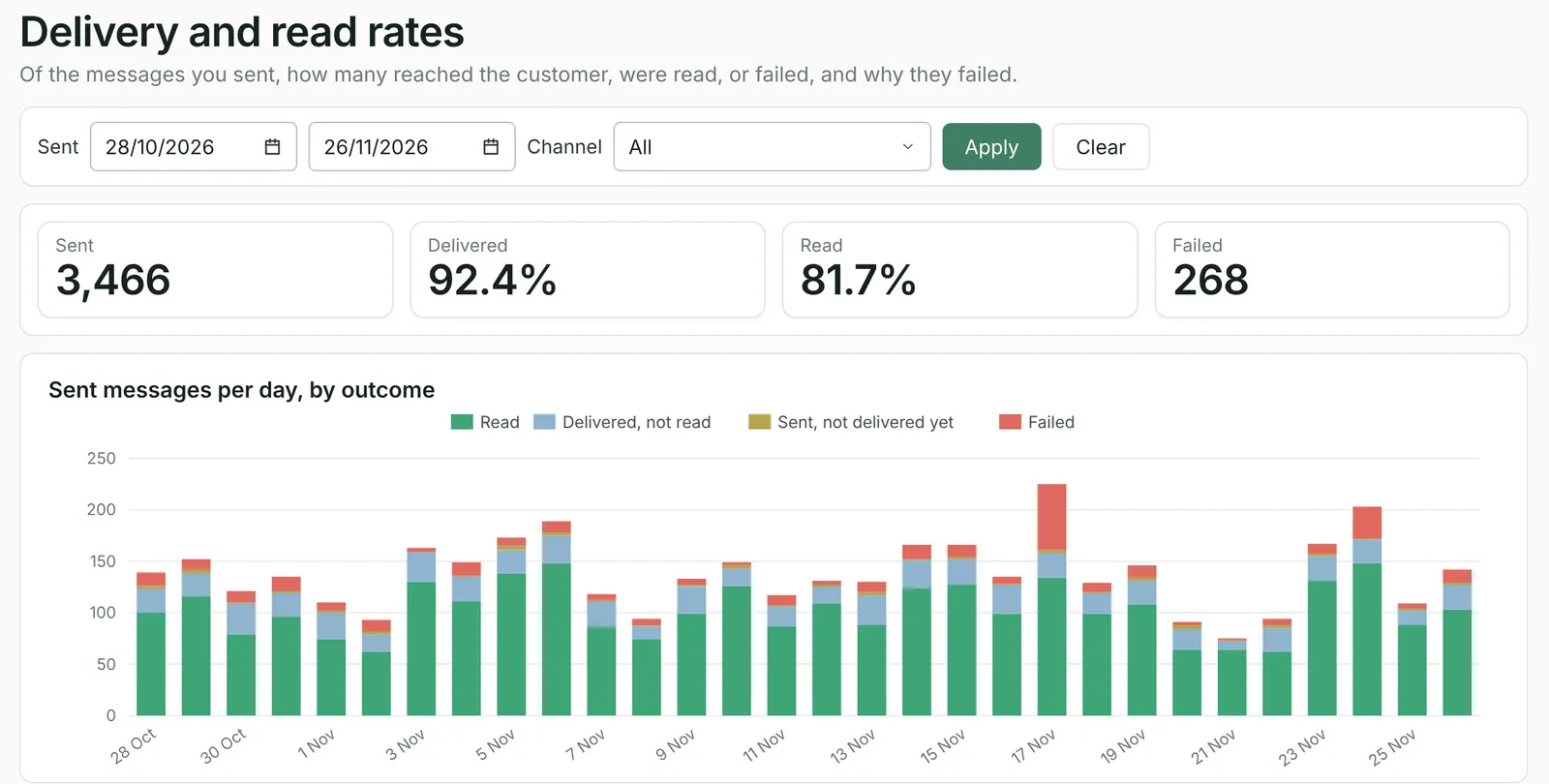
Sent, delivered, read and failed message information, as returned by the channel.
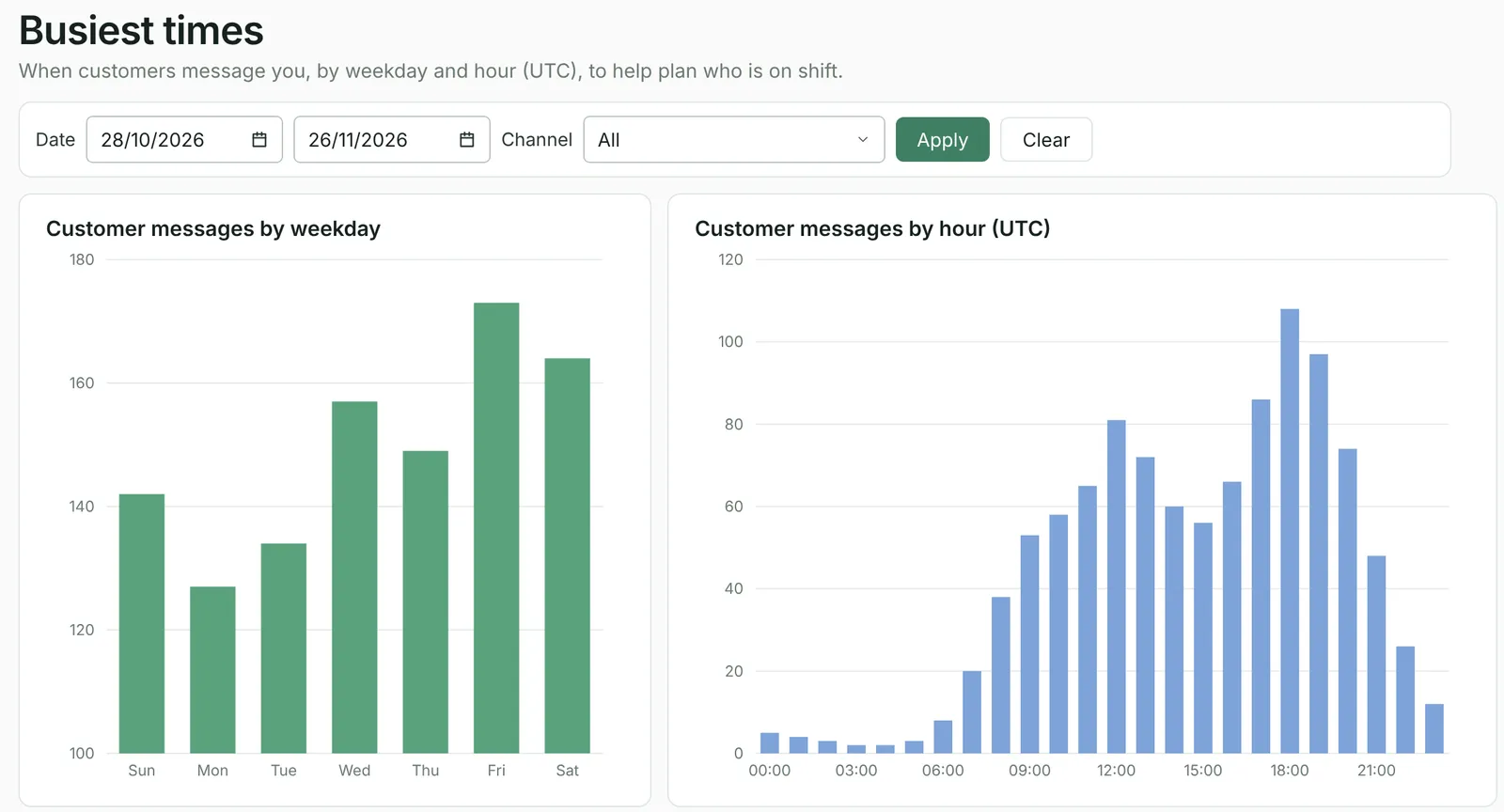
Customer messages by day of the week and by hour of the day, shown as two bar charts.
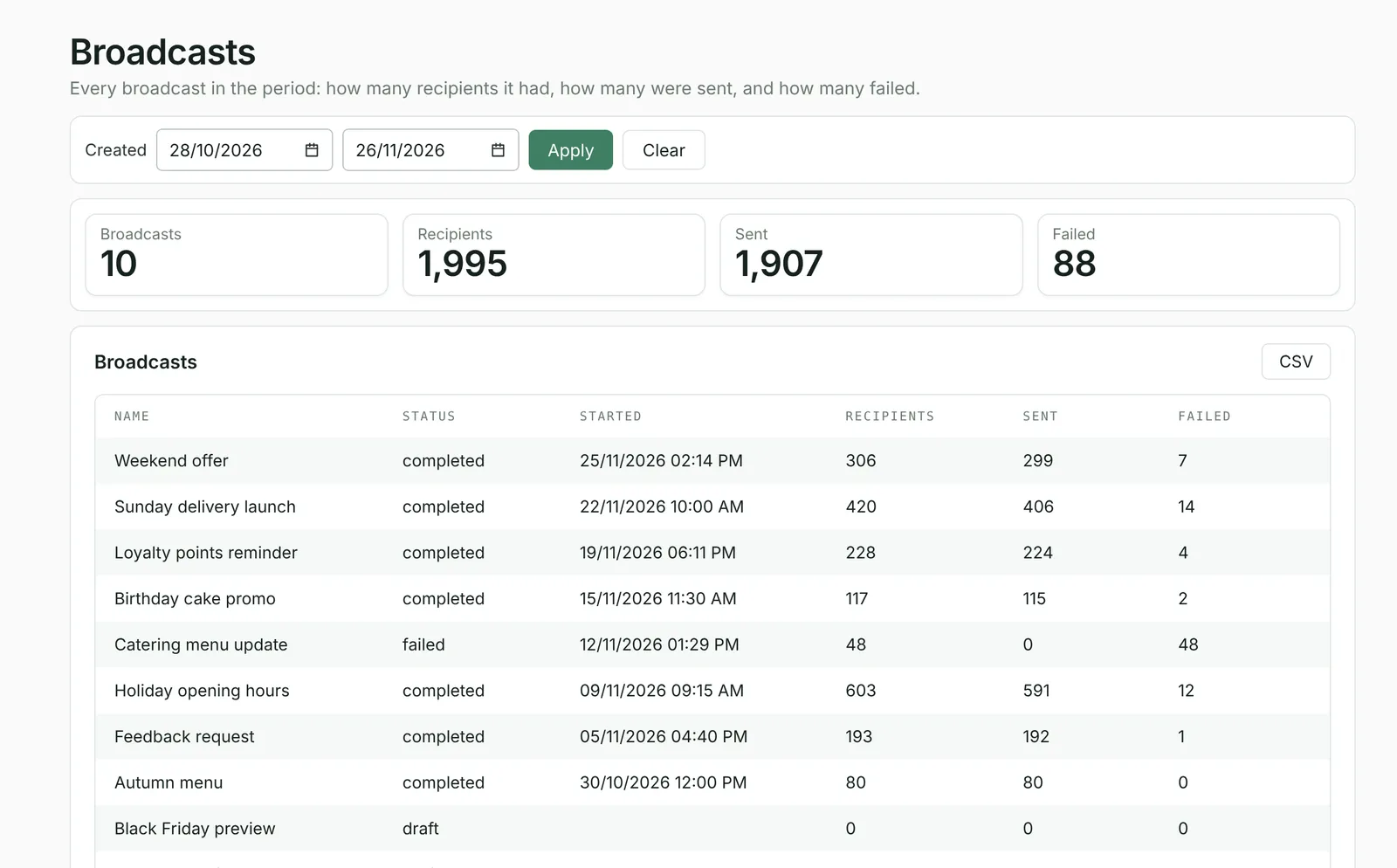
A record of broadcasts with their status, recipients and sending activity.
All figures shown are sample data for a fictional business. They are not customer results.
Look at what is arriving, what your business is sending and how that changes over time.
Incoming and outgoing messages, viewed over time.
How many conversations your team is handling, and when that changes.
Available conversation status information. Closed means closed. It does not show that a request was successfully resolved.
Contact reporting shows available information about contact creation and contact activity over time.
Review available information about team activity, conversation assignment, supported response times and other team performance measures that the report offers.
Figures need context. Different kinds of enquiry take different amounts of work, so confirm what a measure counts before comparing people.
Four different things, which should not be treated as one.
Busiest Times shows past customer communication activity in two bar charts: one by day of the week and one by hour of the day.
Historical patterns can inform how you plan cover and routine work. They describe the past: the report does not forecast demand or recommend staffing levels.
Dedicated broadcast reporting covers your broadcast records, recipient information and sending activity.
It is separate from general delivery and read reporting, which covers message status more broadly. It does not report campaign conversion rates, revenue, sales, advertising attribution or advanced response analysis.
CSV export is available for supported reports. Export does not apply to every report, so confirm the ones you need during evaluation.
Examples of questions a team might bring to these reports.
Operational communication, not clinical analytics.
Customer communication activity, not sales revenue reporting.
Past guest communication, not occupancy forecasting.
Healthcare solutionsRetail & Consumer Brands solutionsTourism & Hospitality solutions
Our team can help you act on what you see. This assistance is optional, agreed separately and does not promise a particular result.
Explore Professional ServicesSeven categories: Messages, Conversations, Contacts, Team Performance, Delivery & Read, Busiest Times and Broadcasts.
Incoming and outgoing message activity over time. Ask us about a specific measure before you rely on it, so you know what it counts.
Conversation volume and available status information over time. A closed conversation is not proof that the customer's request was resolved.
Available activity and response-time information for teams and teammates. Confirm how a measure is calculated before using it in reviews. These reports are not a service level agreement tool.
No. Sent, delivered, read and failed are different things, and delivery and read information depends on what the messaging channel returns. A read message does not show that someone engaged or bought anything.
Past customer message activity by weekday and by hour, as bar charts. It can inform your planning. It does not forecast demand or recommend staffing.
Broadcast reporting is a record of campaigns and their sending activity. Delivery & Read covers message status more generally. Neither measures sales, revenue or advertising attribution.
CSV export is available for supported reports. Not every report should be assumed to offer it, so tell us which ones you need.
Discover how Kinsen can help your organization understand customer communication activity and review operational processes.