Connected teams

Clear responsibilities. Connected teams.

Organize your customer communication operations around the people responsible for them. Establish clear conversation ownership, collaborate across departments and connect your human teams with intelligent automation.

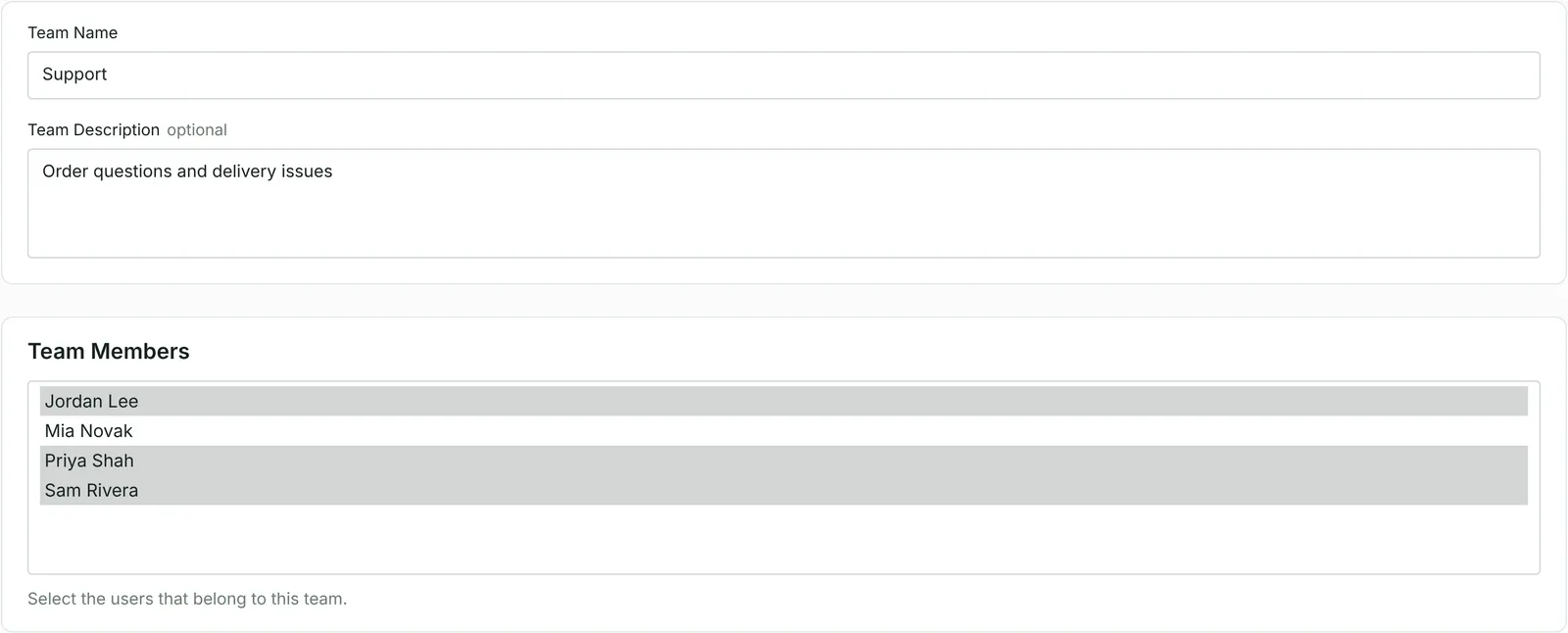
A sample Support team being edited, with its name, description and selected team members
Illustrative example using sample Maple & Co data.
Six team capabilities

Give your people the structure they need to work together.

  1. Organize.

    Create teams around departments, responsibilities and customer communication requirements.

  2. Assign.

    Establish clear responsibility for customer conversations.

  3. Distribute.

    Use configured assignment processes to distribute customer enquiries.

  4. Collaborate.

    Coordinate customer assistance through internal notes, conversation history and handovers.

  5. Control.

    Configure appropriate access and operational responsibilities.

  6. Understand.

    Review available team activity and communication performance information.

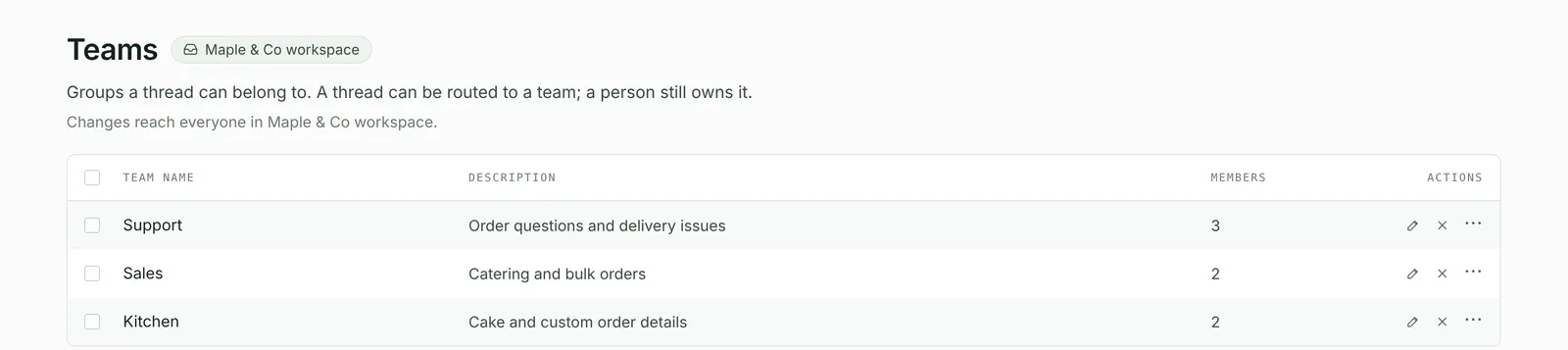
The Teams list for a sample workspace, with Support, Sales and Kitchen teams, their descriptions and member counts
Each team has a description and its own members. Illustrative example using sample Maple & Co data.
Conversation ownership

A team has responsibility. A person takes ownership.

Structured conversation ownership helps establish who is responsible now, and gives whoever comes next a clear place to continue.

  1. Enquiry

    • Customer enquiry
  2. Department

    • Customer Support team
  3. Owner

    • Assigned team member
Conceptual example. How an enquiry reaches a team and a person depends on your configuration.
The responsible team
The department whose work the conversation belongs to.
The individual owner
The teammate the conversation is assigned to.
An assigned AI Agent
A conversation can be assigned to a configured AI Agent, within the instructions and permissions you set.
Unassigned conversations
Conversations without an owner stay visible, so someone can pick them up.
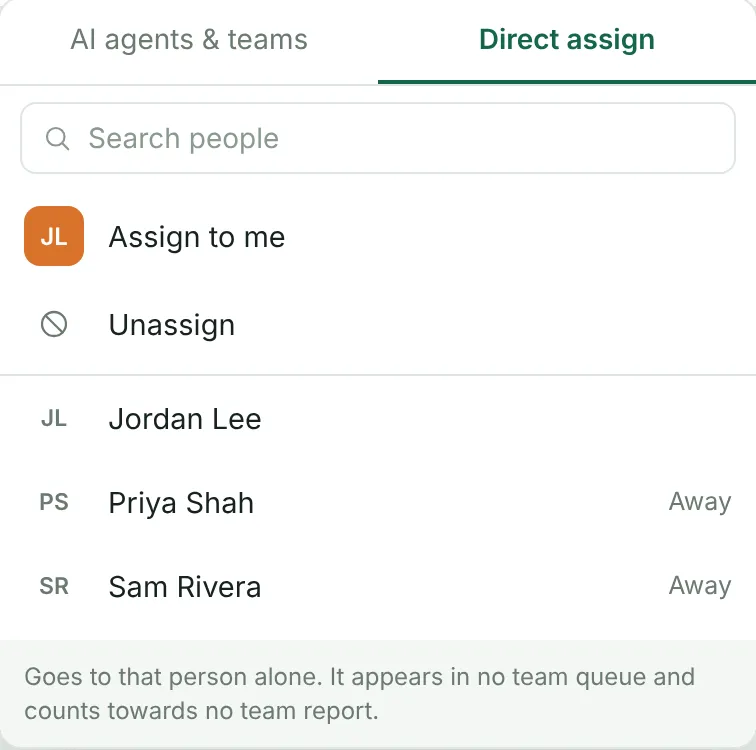
The assignment menu in a conversation, with options to assign it to yourself, unassign it or choose a named teammate
Assigning a conversation from the inbox. Illustrative example using sample Maple & Co data.
Automatic conversation assignment

Get conversations to the right people.

Decide where each kind of enquiry should go, then let your configured process send it there.

  • Configure automatic assignment
  • Route by department to the team responsible
  • Share conversations among members with round-robin assignment
  • Assign as a step inside a workflow
Explore Workflow Automation
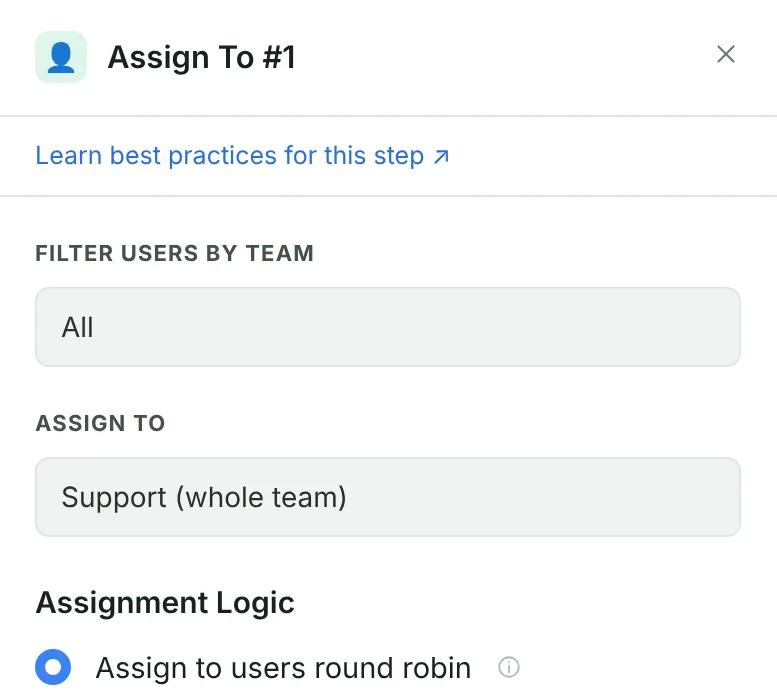
A workflow assignment step set to the whole Support team, with round-robin assignment among its users selected
A workflow step assigning to a sample team. Illustrative example using sample Maple & Co data.
The round-robin principle, with three teammates. Illustrative only: it shows the idea of taking turns, not the exact assignment algorithm.
  1. Enquiry 1Priya
  2. Enquiry 2Sam
  3. Enquiry 3Jordan
  4. Enquiry 4Priya
Team and custom inboxes

Give every department a focused workspace.

Organized views help each department reach the customer conversations that concern it.

Team inboxes
A view for the conversations that belong to a team.
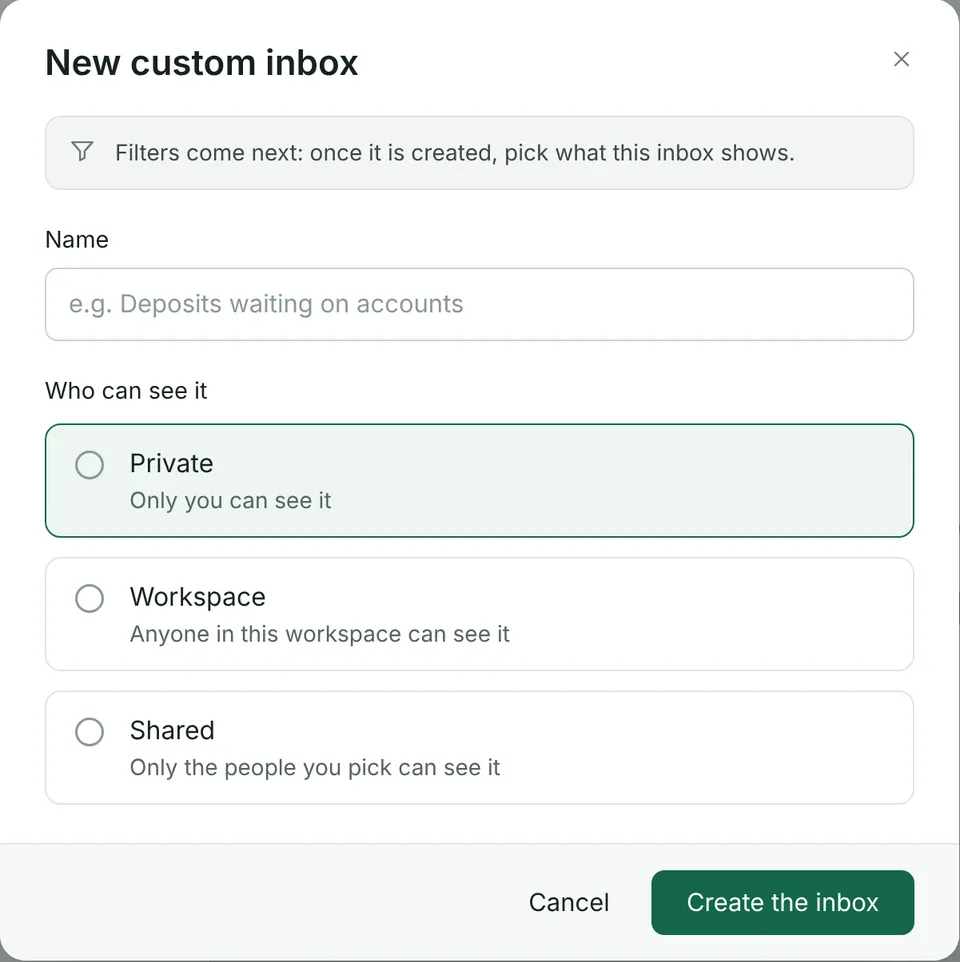
Custom inbox views
Save a view of the conversations you want to return to.
Conversation filters
Choose which conversations a view includes, using the filters offered.
Sharing options
Use the available sharing options when a view is useful to other people.
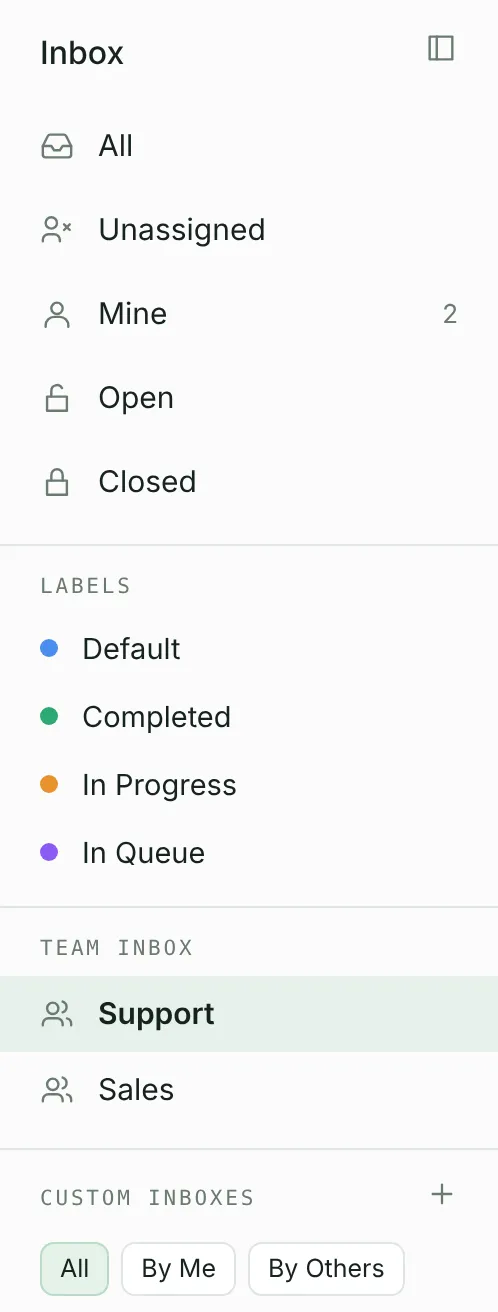
Inbox navigation with standard views, labels, a Support and a Sales team inbox and a section for custom inboxes
Team inboxes alongside the standard views. Illustrative example using sample Maple & Co data.
Collaboration and handover

Keep the conversation moving, even when responsibilities change.

Internal notes and recorded conversation activity help another employee continue without asking the customer to start again.

  1. Sales

    • Receives an order question
  2. Note

    • Adds an internal note
  3. Reassign

    • Moves it to Customer Support
  4. Continue

    • A colleague picks it up
Illustrative example. The colleague works from the conversation history and notes that are available to them.
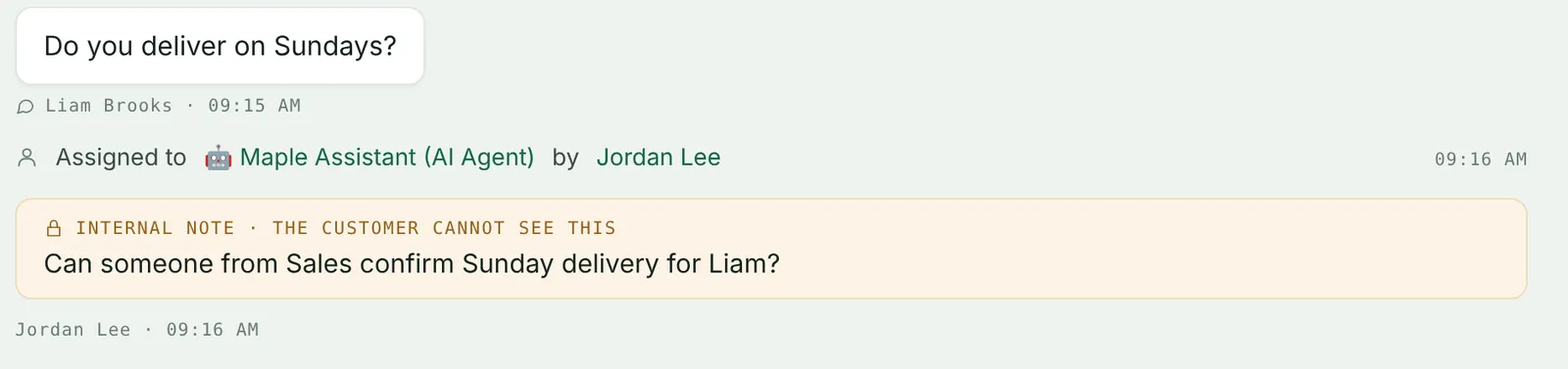
An internal note being written in a conversation, visible to the team and not sent to the customer
Internal notes stay with the conversation and are not sent to the customer. Illustrative example using sample Maple & Co data.

Hand over work while on the move.

From the Kinsen mobile app, your team can assign a conversation to an employee or a team, leave an internal note and mention the right teammate.

Users, roles and permissions

Give your people appropriate access.

Match what people can reach to the work they are responsible for.

  1. Person

    • A user in your workspace
  2. Role

    • A configurable role
  3. Permissions

    • Appropriate permissions
  4. Work

    • Relevant operational capabilities
Conceptual diagram, not a product screen. The roles and permissions that fit your organization are confirmed during evaluation.

User management

Manage the people who use your workspace and the teams they belong to.

Departmental responsibilities

Plan which departments handle which conversations before you decide who needs access to what.

Controlled access

Use roles and permissions to control access to relevant operational capabilities.

Human and AI collaboration

Intelligence and people, working together.

A customer conversation can involve your team, configured AI Agents, automated workflows and a handover to a person.

  1. Customer

    • Sends an enquiry
  2. AI Agent

    • Assists as configured
  3. Handover

    • Follows your configured rules
  4. Person

    • Reviews and continues
Conceptual sequence. Handover depends on how your AI Agents and workflows are configured, so test it before launch.
Operational visibility

Understand how your communication teams are operating.

Review conversation assignment information, team performance reporting and operational activity.

Team performance reporting helps you see activity by team and teammate. Treat the figures as a starting point for a conversation about the work, alongside what you know about the kind of enquiries each person handles.
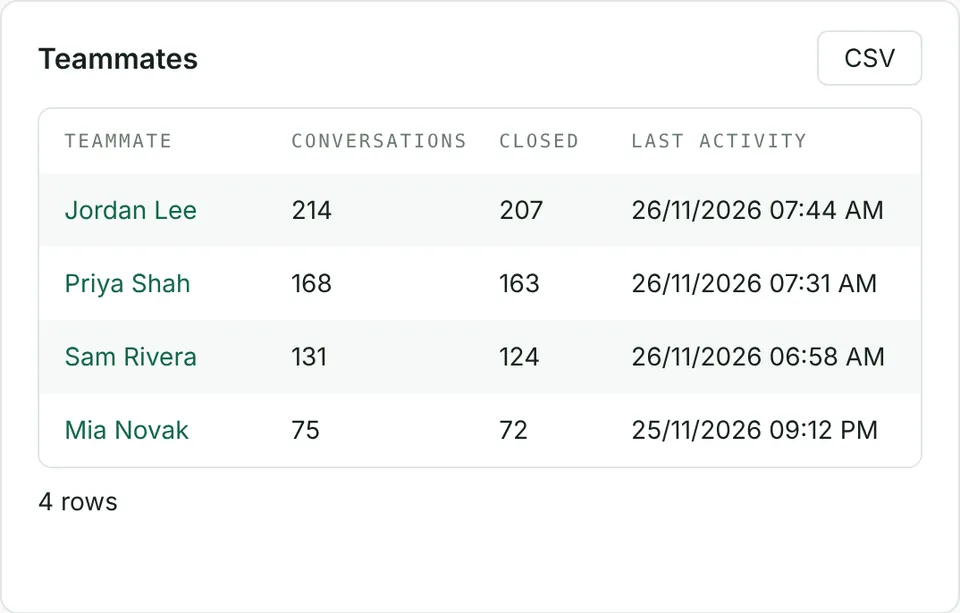
A sample teammates table with conversations, closed conversations and last activity for four people
Teammate activity, with sample figures. Illustrative example using sample Maple & Co data.
Industry team structures

Organize your teams around the way your business works.

Configurable examples of how teams could be arranged. They are not fixed templates.

Healthcare

Separate administrative enquiries by the desk that answers them.

  • Reception
  • Appointments
  • Home Collection
  • Patient Services

Retail

Give product, campaign and order questions their own owners.

  • Sales
  • Marketing
  • Online Orders
  • Customer Support

Tourism and Hospitality

Route guest requests to the department that can act on them.

  • Reservations
  • Reception
  • Housekeeping
  • Transport
  • Guest Relations

Build a communication structure that works for your organization.

Set up your teams yourself, or ask our team to help. Professional implementation is agreed separately and is not included in every subscription.

Explore Professional Services
  • Team configuration
  • Conversation ownership
  • Routing design
  • Role and permission configuration
  • Human and AI collaboration
  • Operational procedures
Frequently asked questions

Questions about team management.

Can we create more than one team?

Yes. Create teams for departments or functions and manage who belongs to each one. Confirm any limits that matter to you with our team.

Who owns a conversation?

A conversation can be associated with a team and assigned to an individual teammate or an AI Agent. It can also be unassigned, which your team can see and act on.

Can conversations be assigned automatically?

Yes, according to your configuration, including through assignment steps in workflows. Test your routing before relying on it.

How does round-robin assignment work?

It shares conversations among team members in turn. The example on this page shows the principle only. We can walk through the behaviour you should expect for your setup.

What is a team inbox?

A view of the conversations that belong to a team, so each department can concentrate on its own work.

Can we create our own inbox views?

Yes. Custom inboxes save a filtered view of conversations, with sharing options. Choose who each view is useful to.

Can we control what each user can access?

Kinsen provides roles and permissions to control user access. Tell us which responsibilities you need to separate, and we will confirm how they can be configured.

How does a handover between an AI Agent and a person work?

It depends on how the AI Agent and any workflow are configured. Decide when a person should take over, who receives the conversation, and test those paths before launch.

Can your team help us set this up?

Yes. Implementation assistance is available as a professional service. It is agreed separately and is not automatically included in every subscription.

Team management

Organized teams. Accountable conversations.

Give your people the structure, information and tools they need to manage customer communication together.