Healthcare
Administrative patient enquiries, such as branch information, opening hours and collecting appointment request details for staff.
Configure AI Agents that understand customer enquiries, use approved business knowledge, collect relevant information and perform permitted business actions. Connect intelligent assistance with the people, systems and processes behind your business.
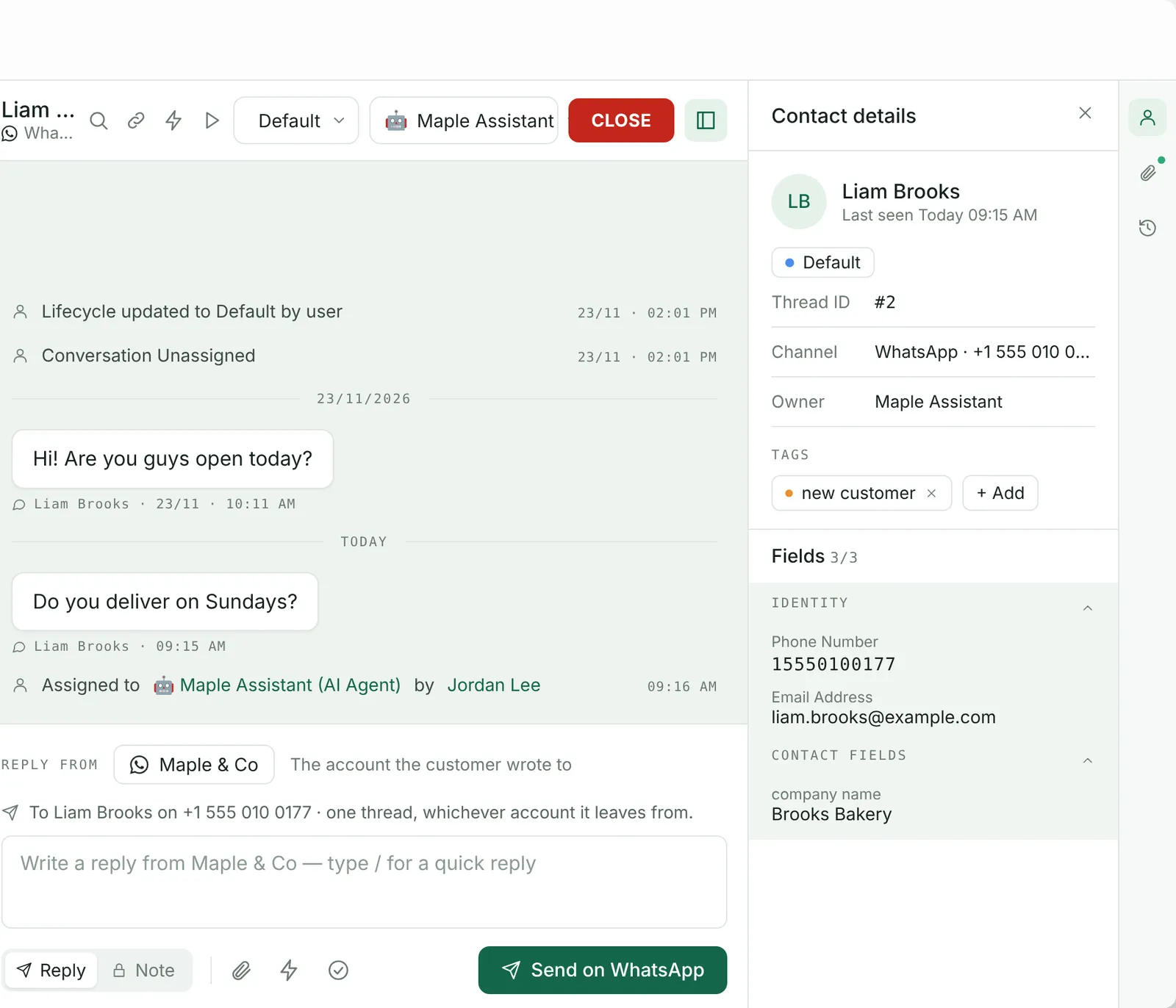
Choose a scenario and step through it. These are scripted illustrations of how a configured AI Agent can assist. They are not live conversations.
Step 1 of 4
A customer asks about an existing order on WhatsApp.
WhatsApp conversation
Hi, can you tell me where order #2841 is?
Step 2 of 4
The AI Agent recognises an order question that its instructions allow it to handle.
WhatsApp conversation
Hi, can you tell me where order #2841 is?
I can check that for you.
Step 3 of 4
The AI Agent uses an order lookup action that your team has set up and permitted.
WhatsApp conversation
Hi, can you tell me where order #2841 is?
I can check that for you.
Request the status of order #2841 from the connected order system.
Order #2841: being prepared for dispatch.
Step 4 of 4
The AI Agent explains the status it received and offers further help.
WhatsApp conversation
Hi, can you tell me where order #2841 is?
I can check that for you.
Request the status of order #2841 from the connected order system.
Order #2841: being prepared for dispatch.
Order #2841 is being prepared for dispatch. Can I help with anything else about this order?
Illustrative scripted scenario with made-up data. No message is sent, no API is called and no AI model runs. Order status needs an order system with a suitable API, configured for your business.
Step 1 of 3
Someone asks about the opening hours of a fictional laboratory branch.
WhatsApp conversation
What time is your Dokki branch open on Saturday?
Step 2 of 3
The AI Agent refers to the administrative information your business has approved and provided as knowledge.
WhatsApp conversation
What time is your Dokki branch open on Saturday?
Refer to the approved branch information for Dokki.
Step 3 of 3
The AI Agent answers the administrative question and stays within its instructions.
WhatsApp conversation
What time is your Dokki branch open on Saturday?
Refer to the approved branch information for Dokki.
Our branch information shows the Dokki branch is open on Saturday from 9:00 to 15:00. For medical questions, please speak with a qualified member of our team.
Illustrative scripted scenario about a fictional laboratory, with made-up hours. No message is sent, no API is called and no AI model runs. Administrative information only, not medical advice.
Step 1 of 4
A guest asks for transportation from the airport.
WhatsApp conversation
We need airport transportation for four people.
Step 2 of 4
The AI Agent asks for the information your team needs to review the request.
WhatsApp conversation
We need airport transportation for four people.
I can pass this to our team. What date and time do you land, and how much luggage do you have?
Friday at 18:40, with four suitcases.
Step 3 of 4
Following the configured handover, the conversation is assigned to a team with the details collected.
WhatsApp conversation
We need airport transportation for four people.
I can pass this to our team. What date and time do you land, and how much luggage do you have?
Friday at 18:40, with four suitcases.
Conversation assigned to the guest services team.
Airport transport, four people, Friday 18:40 arrival, four suitcases. Awaiting staff review.
Step 4 of 4
The guest is told what happens next. A person confirms availability.
WhatsApp conversation
We need airport transportation for four people.
I can pass this to our team. What date and time do you land, and how much luggage do you have?
Friday at 18:40, with four suitcases.
Conversation assigned to the guest services team.
Airport transport, four people, Friday 18:40 arrival, four suitcases. Awaiting staff review.
Thank you. I have passed these details to our team. Nothing is booked yet. A colleague will confirm what is available.
Illustrative scripted scenario with made-up data. No message is sent, no API is called and no AI model runs. Nothing is booked. Assignment to staff requires configuration.
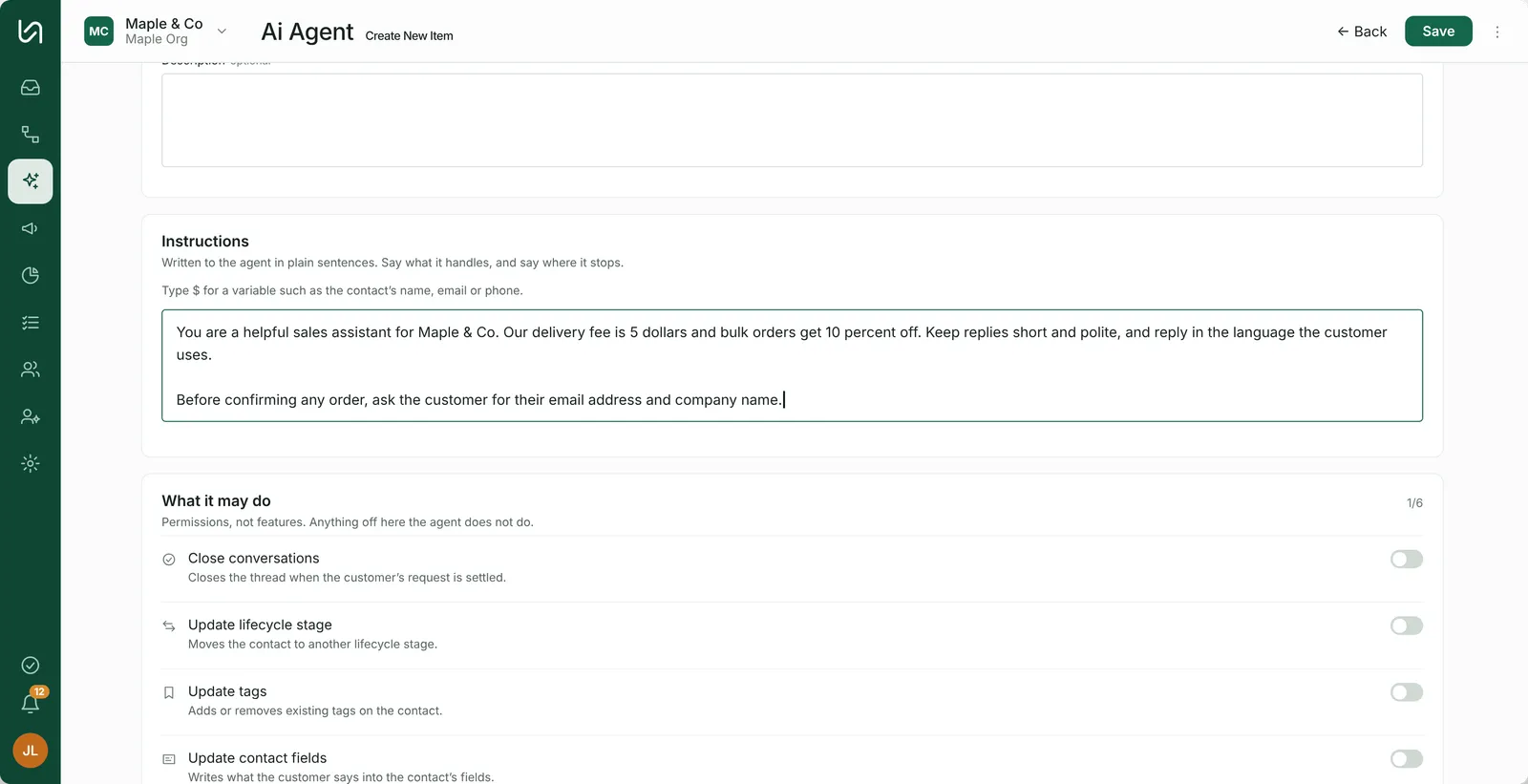
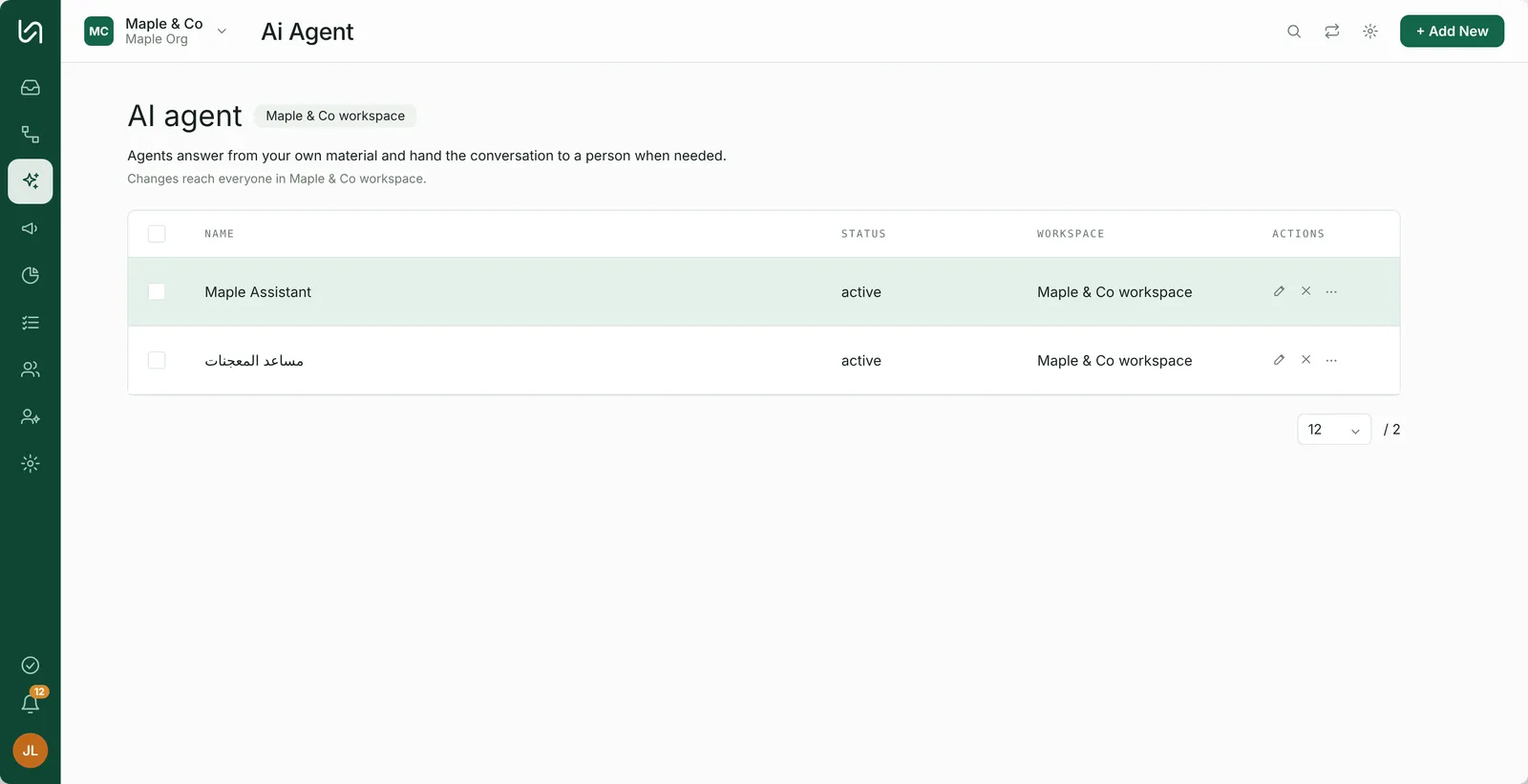
You decide what each AI Agent is for. Written instructions set out its responsibilities, tone and permitted behaviour.
Instructions guide an AI Agent. Test it with realistic enquiries, and review its conversations after launch.
The questions customers repeat, with the answers your team has agreed.
For example how you handle orders, returns or appointment requests.
What you offer, described in current and accurate plain text.
AI Agents can refer to text-based business knowledge that you provide. Plain, well organised text works best.
Your team is responsible for what goes in. Review sources before adding them and update them when your information changes.
When you permit it, an AI Agent can update contact fields and use HTTP requests that you configure to exchange information with other systems.
Customer
Kinsen
Action
Your system
Outcome
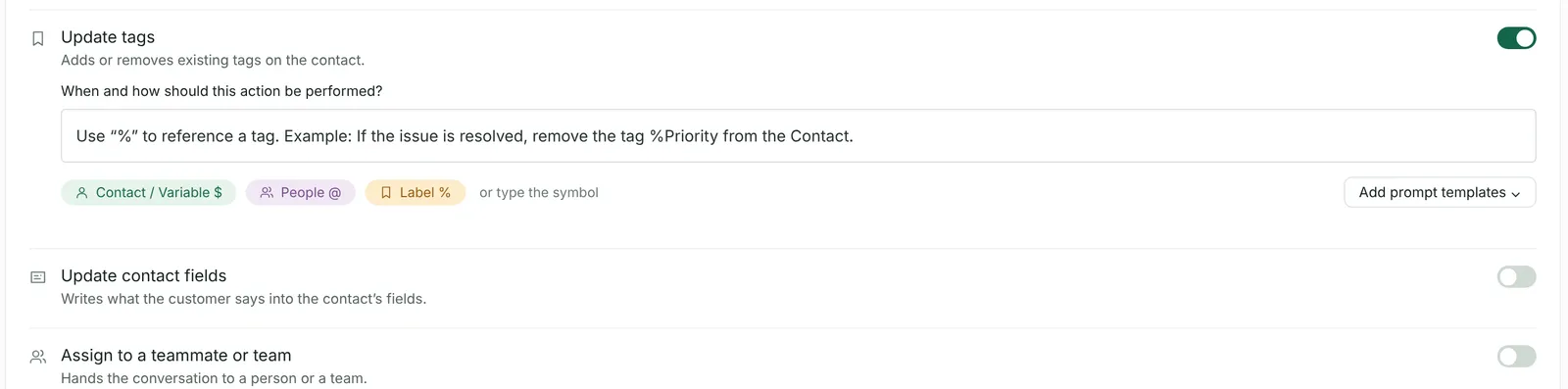
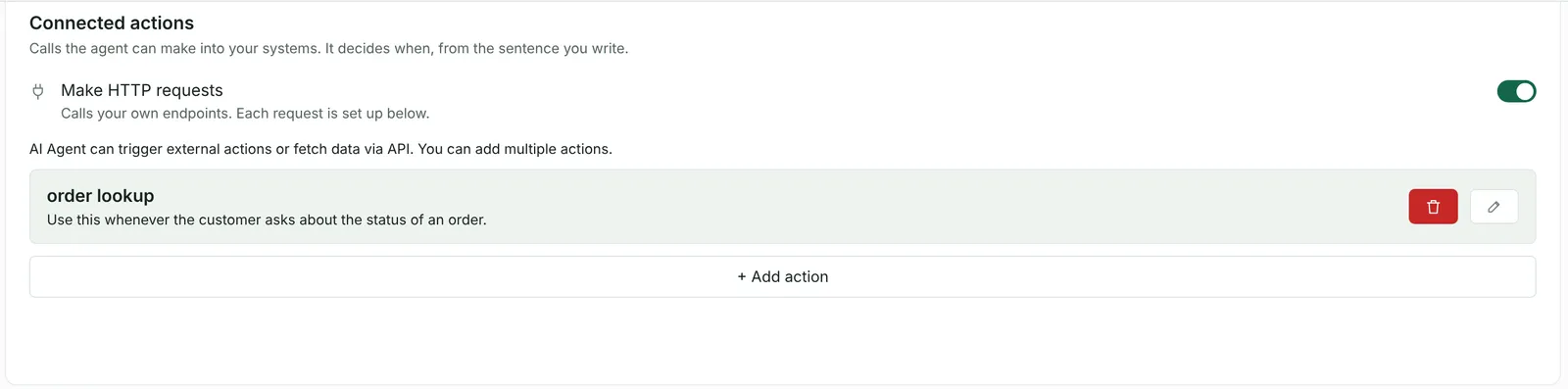
AI Agents work alongside your team. Handover happens the way you configure it, so decide which requests need a person and test those paths.
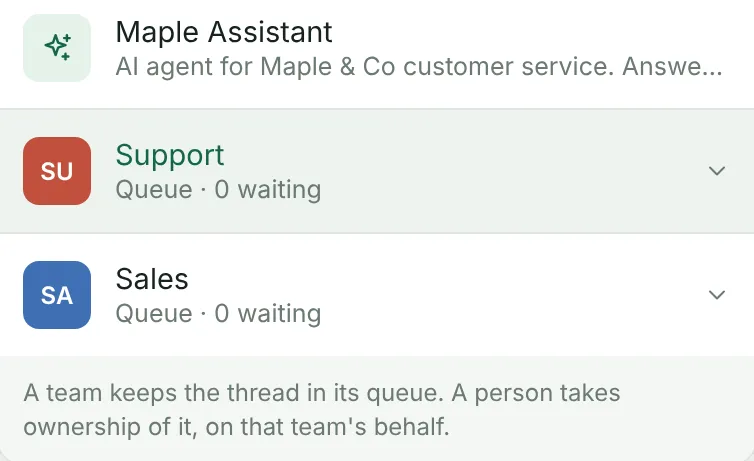
From the Kinsen mobile Inbox, your team can assign a conversation to an AI Agent, and take over an AI-managed conversation when it needs a person.
Examples of what can be configured. Each depends on your instructions, knowledge, permissions and connected systems.
Administrative patient enquiries, such as branch information, opening hours and collecting appointment request details for staff.
Product assistance and order information. Live stock or order details need a suitable connected system.
Guest assistance and structured service requests, with the details collected and passed to the right team.
Decide which enquiries the AI Agent handles and which belong to people.
Provide current, reviewed text about your services and policies.
Permit only the actions the role needs and set up any API requests.
Try ordinary, unclear and out of scope questions before customers do.
Go live, read real conversations and refine instructions and knowledge.
Configure AI Agents yourself, or work with our specialists to design and implement them around your business.
Explore Professional ServicesA configured AI Agent can assist customers in conversations according to your instructions, refer to approved business knowledge, record information in contact fields, use the actions you permit and take part in a configured handover to your team.
Text-based reference material such as approved FAQs, business policies and service information. Keep it current and accurate, because it informs the replies. Ask our team about suitable sources for your content.
Yes, through HTTP actions that you configure and permit. Your system needs a suitable API, and each action needs setting up and testing. Which integrations are feasible depends on your systems.
You configure when and where a conversation should be assigned, for example to a teammate or a team, and what the AI Agent is permitted to do. People can also take over by assigning the conversation. Handover rules need to be set up and tested.
Kinsen currently supports WhatsApp Business API, Instagram and Facebook Messenger. Confirm your AI Agent setup for each channel you plan to use.
Define the AI Agent's responsibilities and instructions, add approved knowledge, choose its permissions and actions, then test representative conversations. Connected actions also need access to suitable APIs.
Unmetered AI credits are available for a limited time under the current offering. Explore our subscription plans or contact us to discuss your specific requirements.
Show us the enquiries your team handles and we will walk through how an AI Agent could be configured to assist with them.