Retail promotions
Tell customers who want your offers about a new range or seasonal menu, and route their replies to people who can help.

Create targeted WhatsApp campaigns that engage customers with relevant messages and connect their responses with automated business processes.
Choose a relevant audience from your contacts.
Fill approved template variables with contact information.
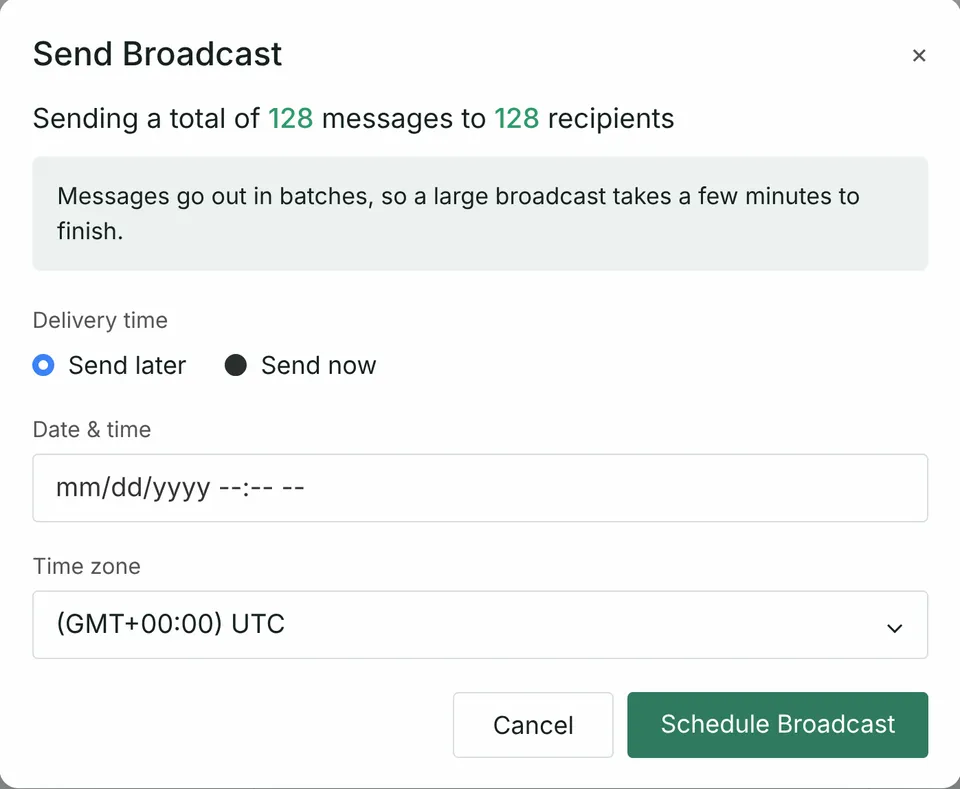
Send now or at a time you choose.
Invite a response using options your approved template supports.
Connect responses to configured workflows and your team.
Review broadcast records and general message delivery information.
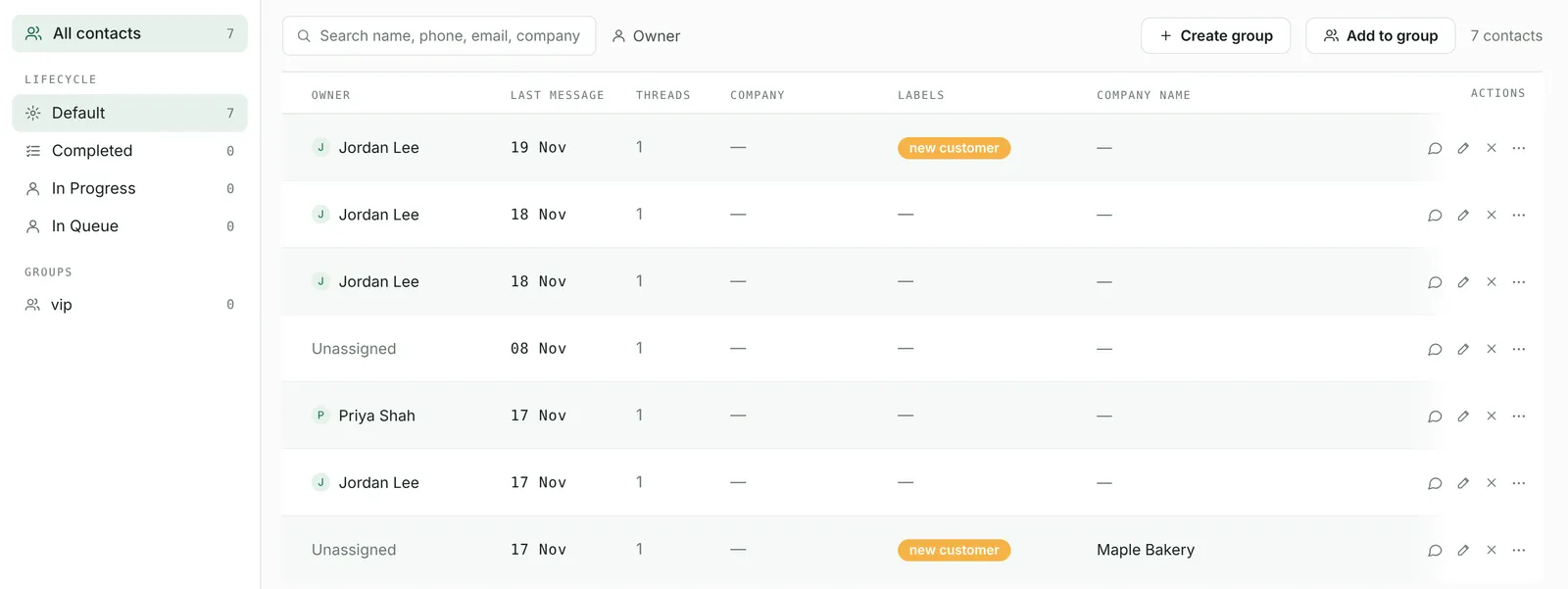
Use the contact information you hold to select recipients, and check the count before you send.
Contacts
Criteria
Audience
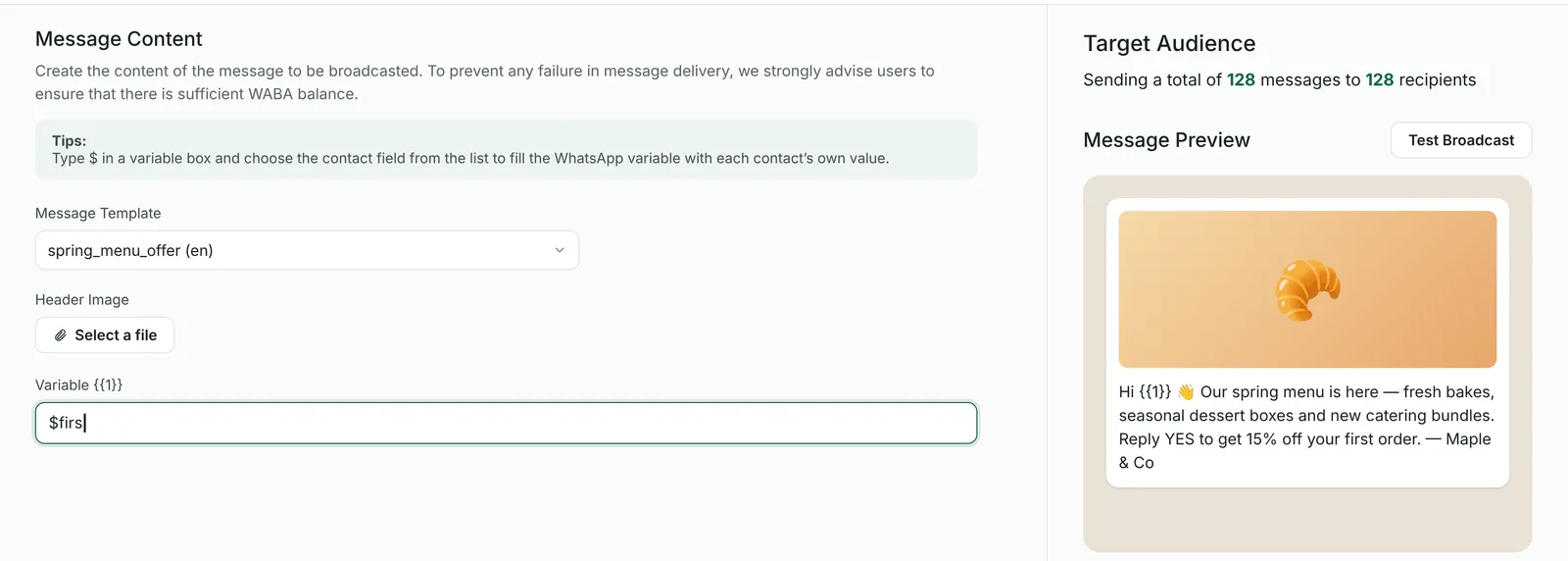
Choose an approved template and the sending account, fill its variables, check the preview and send a test before your audience sees it.
A campaign does not have to end when it is delivered. Decide in advance what each reply means and what should happen next.
Recording a stop request through a workflow is one part of handling preferences. It is not a complete consent management system.
Interested.
Route to a team and record the interest.
Tell me more.
Share prepared information and offer human help.
Stop receiving these offers.
Record the preference and exclude the contact from later offers.
Choose a response from the fictional Maple & Co campaign and follow what a configured workflow could do.
Step 1 of 4
A fictional retail campaign reaches a customer as an approved WhatsApp template.
WhatsApp conversation
Hi Liam, our spring menu is here. Reply with: Interested. Tell me more. Or: Stop receiving these offers.
Step 2 of 4
The reply reaches your inbox as a conversation.
WhatsApp conversation
Hi Liam, our spring menu is here. Reply with: Interested. Tell me more. Or: Stop receiving these offers.
Interested.
Step 3 of 4
A configured workflow records the interest and assigns the conversation.
WhatsApp conversation
Hi Liam, our spring menu is here. Reply with: Interested. Tell me more. Or: Stop receiving these offers.
Interested.
Tag added: spring interest. Conversation assigned to the Sales team.
Step 4 of 4
A teammate continues the conversation with the context in view.
WhatsApp conversation
Hi Liam, our spring menu is here. Reply with: Interested. Tell me more. Or: Stop receiving these offers.
Interested.
Tag added: spring interest. Conversation assigned to the Sales team.
Great to hear. Are you ordering for yourself or for an event?
Scripted demonstration of a fictional campaign, not a product screen. No message is sent and no workflow runs. Routing and updates depend on a configured workflow.
Step 1 of 4
A fictional retail campaign reaches a customer as an approved WhatsApp template.
WhatsApp conversation
Hi Liam, our spring menu is here. Reply with: Interested. Tell me more. Or: Stop receiving these offers.
Step 2 of 4
The customer asks for more information.
WhatsApp conversation
Hi Liam, our spring menu is here. Reply with: Interested. Tell me more. Or: Stop receiving these offers.
Tell me more.
Step 3 of 4
A configured workflow sends the information you prepared and asks a next question.
WhatsApp conversation
Hi Liam, our spring menu is here. Reply with: Interested. Tell me more. Or: Stop receiving these offers.
Tell me more.
The spring menu has lemon, berry and pistachio cakes. Would you like to speak with our team?
Yes please.
Step 4 of 4
The conversation moves to a person, following your rules.
WhatsApp conversation
Hi Liam, our spring menu is here. Reply with: Interested. Tell me more. Or: Stop receiving these offers.
Tell me more.
The spring menu has lemon, berry and pistachio cakes. Would you like to speak with our team?
Yes please.
Conversation assigned to the Sales team.
Scripted demonstration of a fictional campaign, not a product screen. No message is sent and no workflow runs. Follow-up messages are subject to WhatsApp Business Platform rules.
Step 1 of 4
A fictional retail campaign reaches a customer as an approved WhatsApp template.
WhatsApp conversation
Hi Liam, our spring menu is here. Reply with: Interested. Tell me more. Or: Stop receiving these offers.
Step 2 of 4
The customer asks not to receive these offers.
WhatsApp conversation
Hi Liam, our spring menu is here. Reply with: Interested. Tell me more. Or: Stop receiving these offers.
Stop receiving these offers.
Step 3 of 4
A configured workflow records the choice on the contact, here with a tag.
WhatsApp conversation
Hi Liam, our spring menu is here. Reply with: Interested. Tell me more. Or: Stop receiving these offers.
Stop receiving these offers.
Tag added: no offers.
Step 4 of 4
The customer gets a short acknowledgement. Your team leaves tagged contacts out when choosing later audiences, and checks that it has.
WhatsApp conversation
Hi Liam, our spring menu is here. Reply with: Interested. Tell me more. Or: Stop receiving these offers.
Stop receiving these offers.
Tag added: no offers.
Understood. We have recorded that you do not want these offers.
Scripted demonstration of a fictional campaign, not a product screen. No message is sent and no workflow runs. This illustrates a workflow you would design. It is not a complete consent management system, and your business remains responsible for honouring preferences.
Supported customer responses can be connected to configured workflows, with human assistance where it is needed.
Campaign
Reply
Automation
People
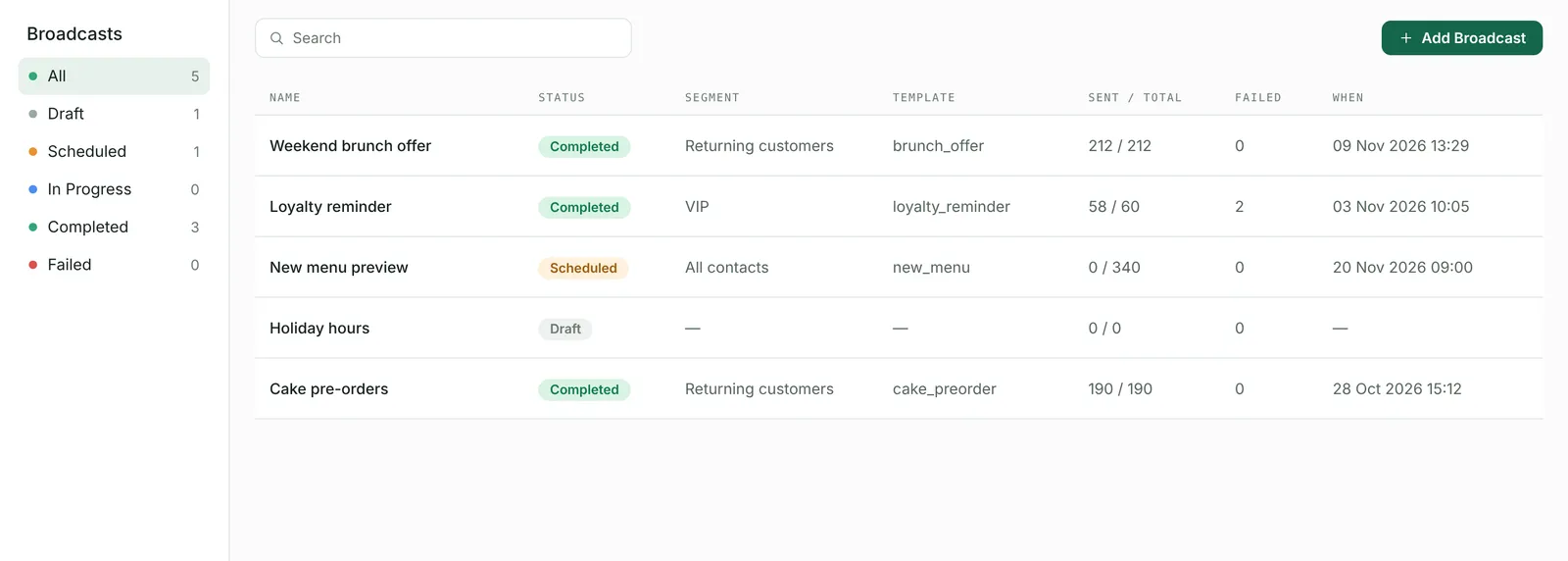
Manage broadcasts from a list showing their status, and review broadcast activity in its own report.
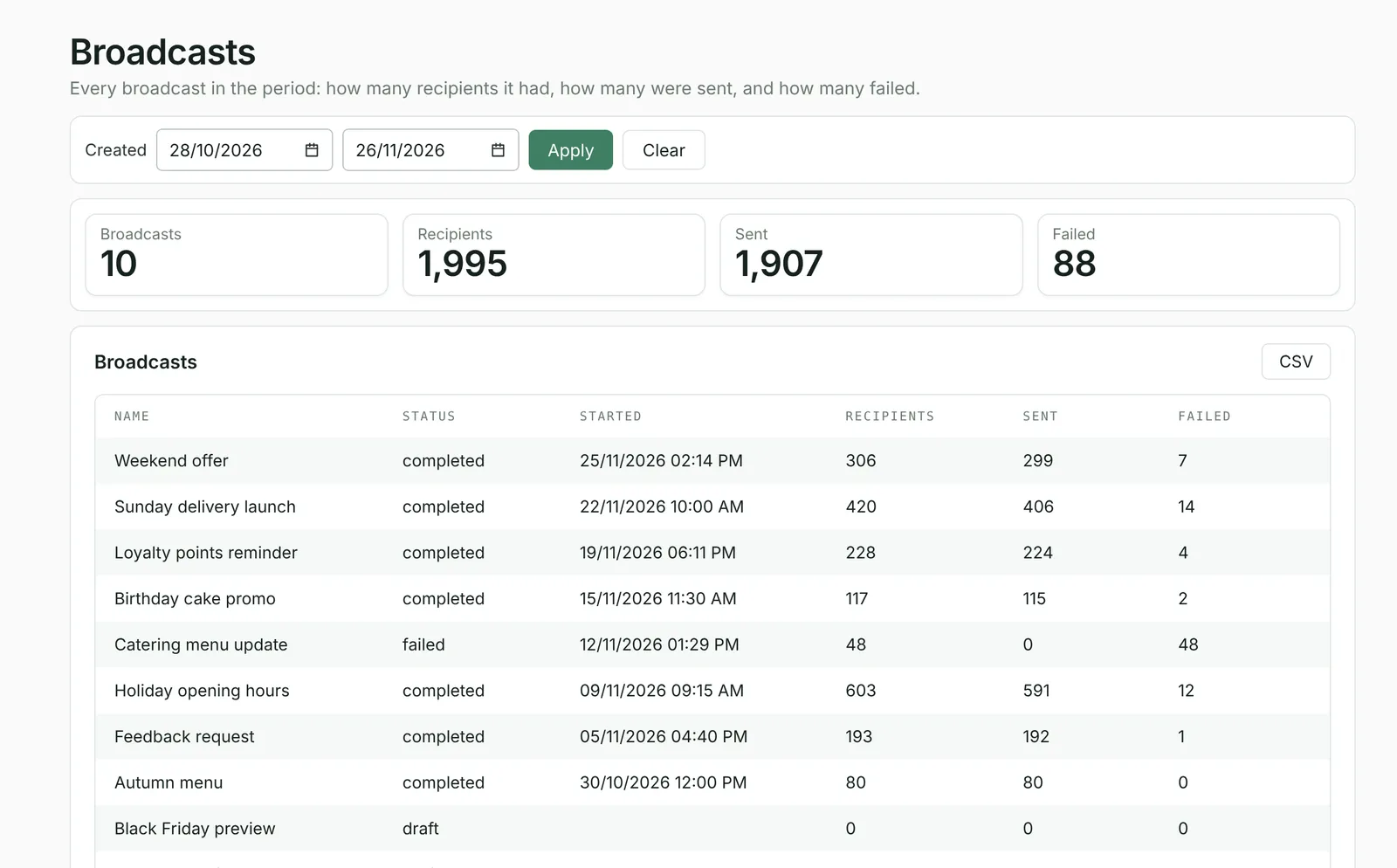
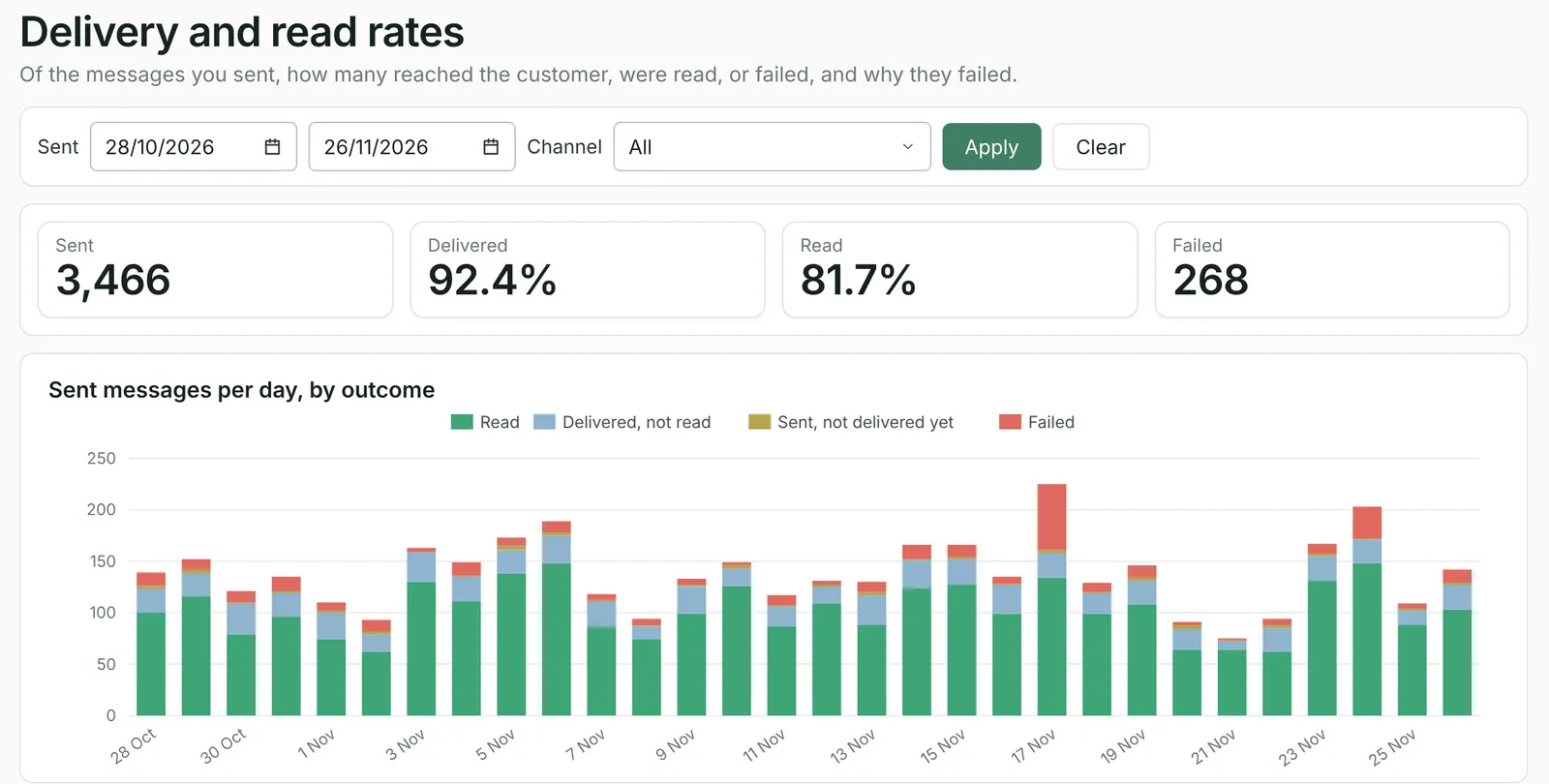
Delivery and read information depends on status returned by the messaging channel. These reports do not measure sales, conversions or revenue from a campaign.
Examples of appropriate use. Each needs approved templates and a suitable audience.
Tell customers who want your offers about a new range or seasonal menu, and route their replies to people who can help.
Share relevant guest information or an event invitation, then collect requests for the responsible team.
Appropriate administrative notices, such as changed opening hours. Not medical advice, and not sensitive information. Check the rules that apply to you.
Healthcare solutionsRetail & Consumer Brands solutionsTourism & Hospitality solutions
Customers should recognize why they are hearing from you. Approved templates are required, and approval does not replace your own obligations.
WhatsApp sets messaging rules and limits. Sending through Kinsen is subject to them, and delivery depends on the channel.
Run campaigns yourself, or ask our team to help set them up.
Explore Professional ServicesA connected WhatsApp Business API account and WhatsApp message templates approved for your account. Broadcasts use those approved templates.
Yes. Fill supported template variables with contact information. Check that the information exists and preview or test before sending.
Yes. Send a broadcast now or schedule it for a chosen date, time and time zone.
Interactive options depend on the approved template. Configured workflows can act on responses and pass conversations to your team. This needs to be set up and tested.
No. WhatsApp provider fees are billed separately. Check WhatsApp's current pricing for the messages you plan to send. Explore our subscription plans or contact us to discuss your specific requirements.
Send relevant messages to people you are entitled to contact. Follow WhatsApp's policies and the messaging, marketing and data protection requirements that apply to your business, and respect customer preferences.
You can review broadcast records and a dedicated broadcast report. General message delivery, read and failure information is available in reporting and depends on status information returned by the channel. A sent message is not necessarily a delivered one.
Tell us who you want to reach and what should happen when they reply, and we will walk through how a campaign could be set up.