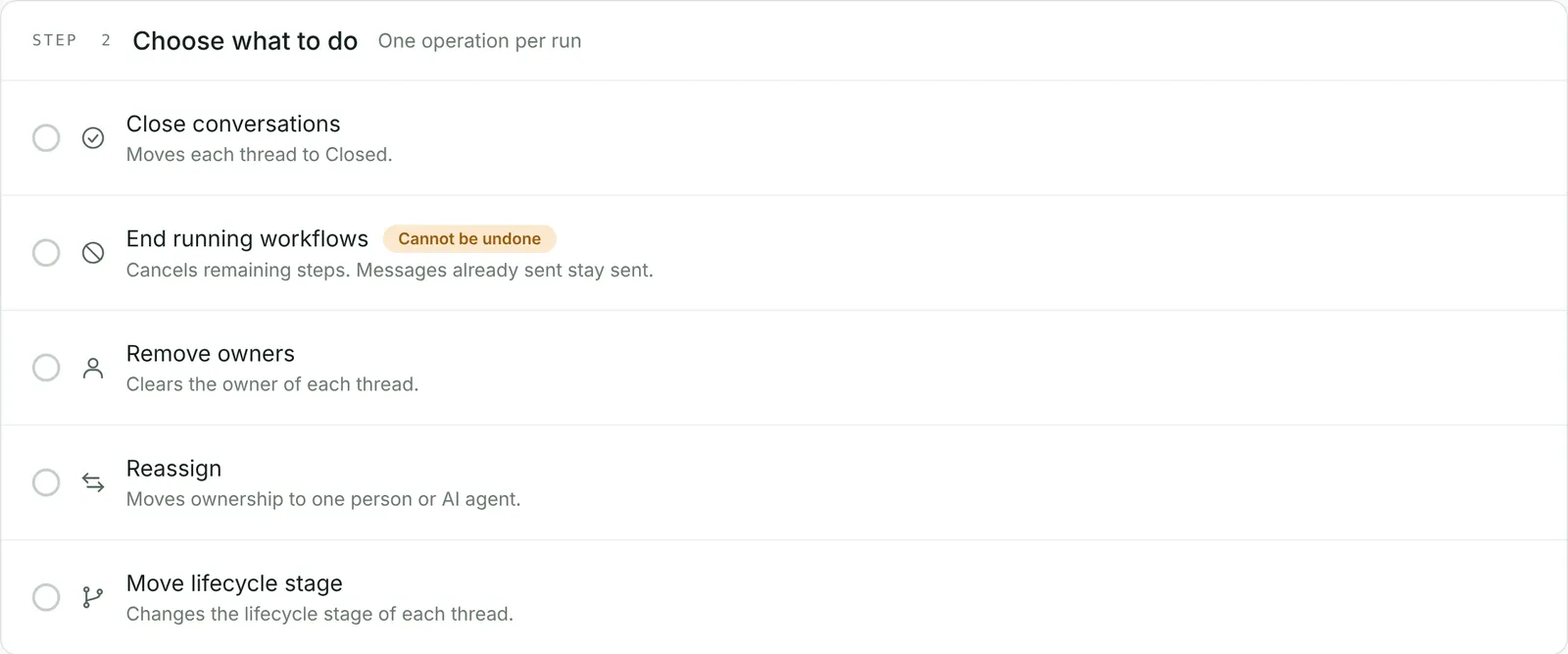
Bulk Operations
Close, reassign or update selected conversations in one run, with a review step before anything happens.
Bring customer communication, AI Agents, workflow automation, customer engagement and operational control together in one connected platform. Give your people the tools, information and intelligence they need to move customer conversations forward.
Manage supported customer conversations in a shared workspace, so your people can see what has been said, who is responsible and what happens next without moving between separate inboxes.
 WhatsApp Business API
 Instagram
 Facebook Messenger
Nine product modules in three groups, working from the same conversations and customer information.
WhatsApp, Instagram and Messenger conversations in one shared workspace.
Explore: Omnichannel InboxCustomer profiles, custom fields, tags and lifecycle stages.
Explore: Contact ManagementVisual journeys with triggers, questions, branches and actions.
Explore: Workflow AutomationWhatsApp template campaigns to chosen audiences.
Explore: Broadcasts & CampaignsOperational reporting on conversations, teams and delivery.
Explore: Reporting & AnalyticsYour Kinsen Inbox on iOS and Android: manage conversations, work with colleagues and AI Agents, and run configured automations.
A fictional retail example of how a business could configure Kinsen. Not every conversation follows these steps, and none of them happens without the relevant setup.
Enquiry
They ask whether a product is available.
Omnichannel Inbox
Understand
A configured AI Agent identifies what they are looking for.
AI Agents
Look up
A configured API returns product information from a connected system.
APIs & Integrations
Record
Permitted contact fields are updated.
Contact Management
Qualify
A workflow asks questions and applies your criteria.
Workflow Automation
Own
The conversation is assigned to the sales team.
Team Management
Engage
An eligible customer can receive appropriate campaigns later.
Broadcasts & Campaigns
Manage
Administrators act on growing backlogs with reviewed bulk operations.
Bulk Operations
Review
Management looks at communication activity in reports.
Reporting & Analytics
Illustrative and fictional. Product lookups need a connected system with a suitable API. Campaigns require approved templates and customers who are eligible to receive them. Bulk operations and reporting are separate actions taken by your people.
The shared inbox brings supported conversations together, with assignment, internal notes and customer details beside the thread.
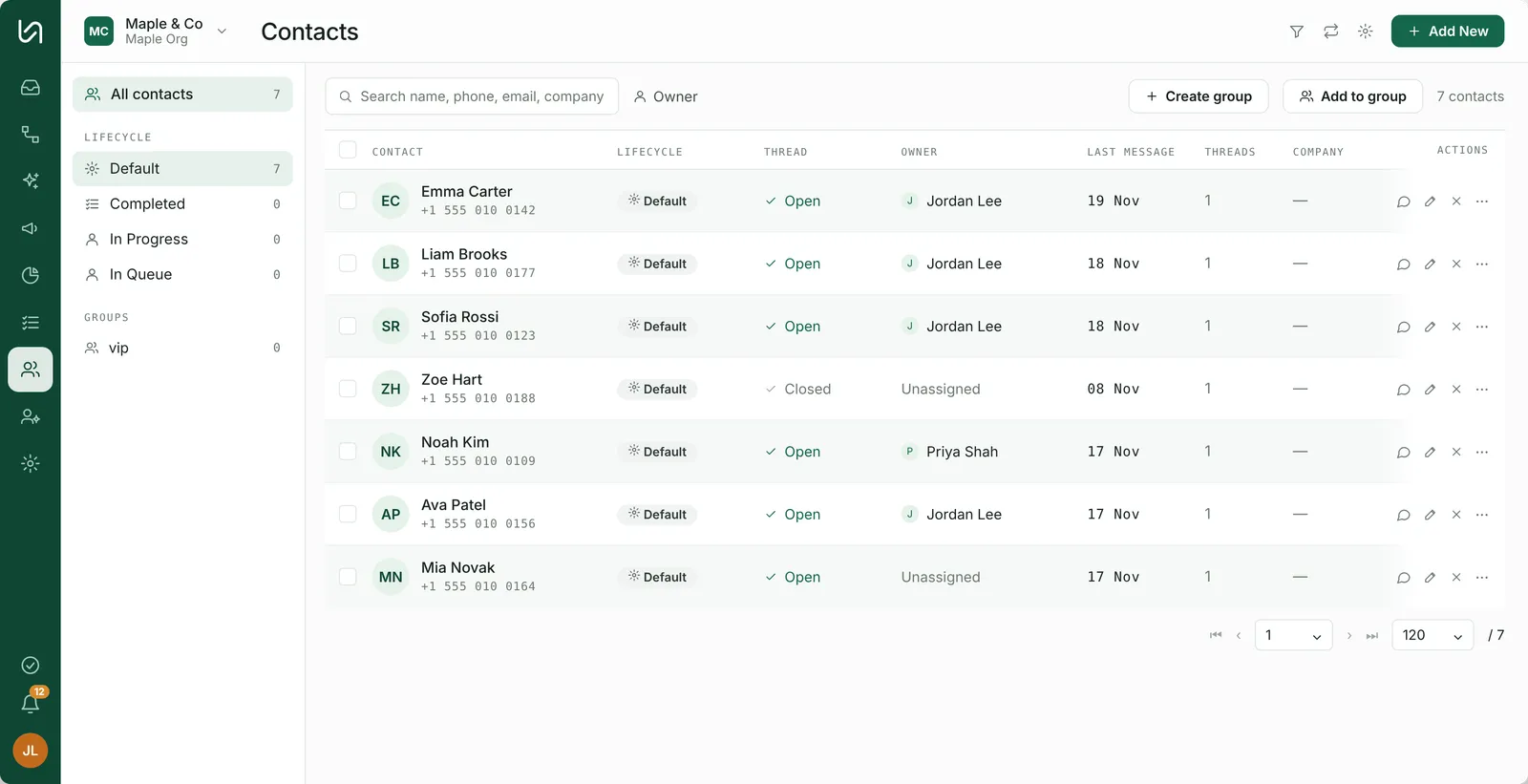
Contact Management keeps profiles, custom fields, tags and lifecycle stages with the customer.
Team Management organizes people into teams, with roles, permissions and clear ownership.
Explore Omnichannel InboxExplore Contact ManagementExplore Team Management
Customer-facing AI Agents assist with enquiries using your instructions and approved knowledge, within the permissions you set.
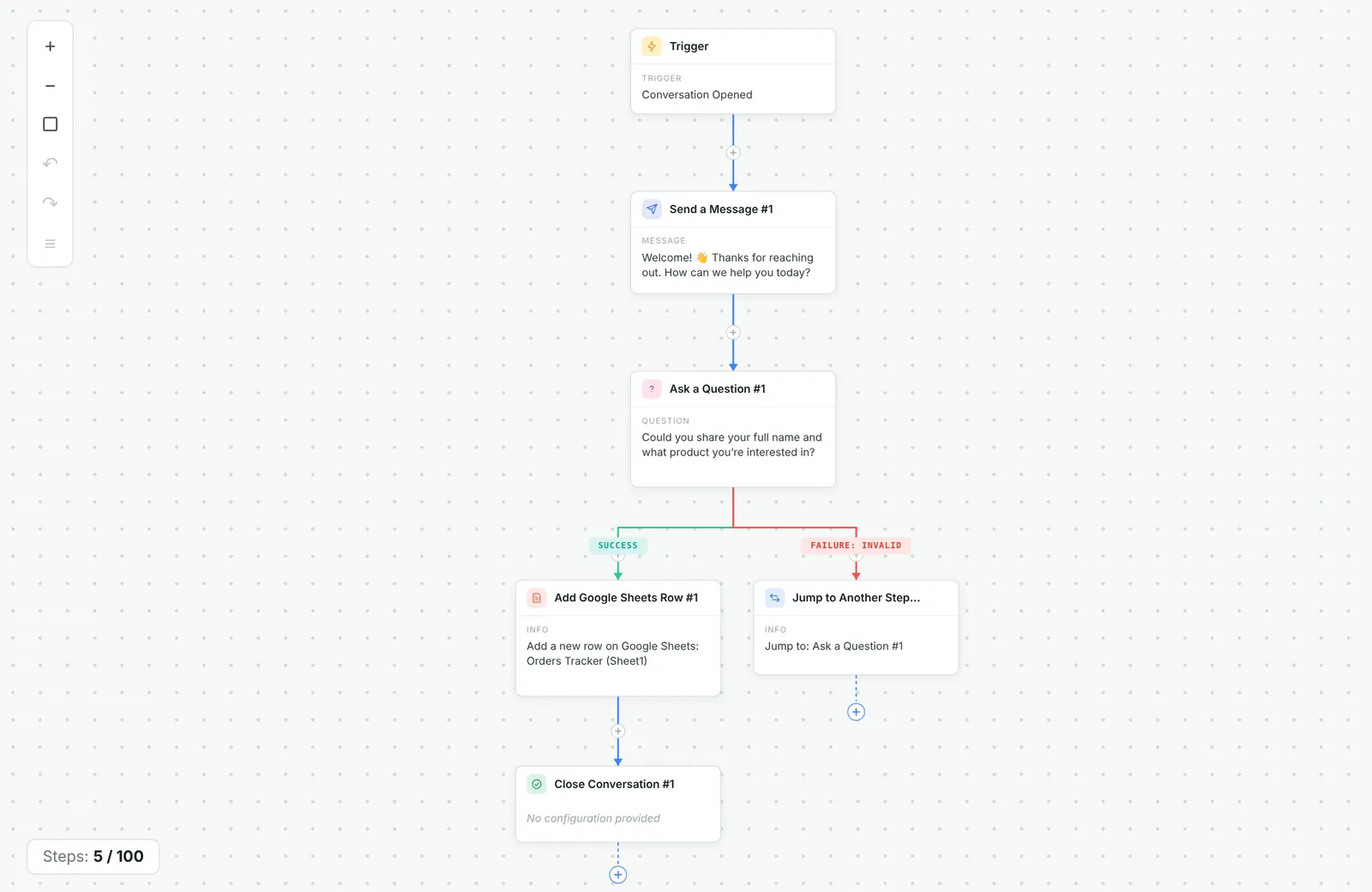
The visual workflow builder structures journeys that ask questions, evaluate conditions, route conversations and perform configured actions.
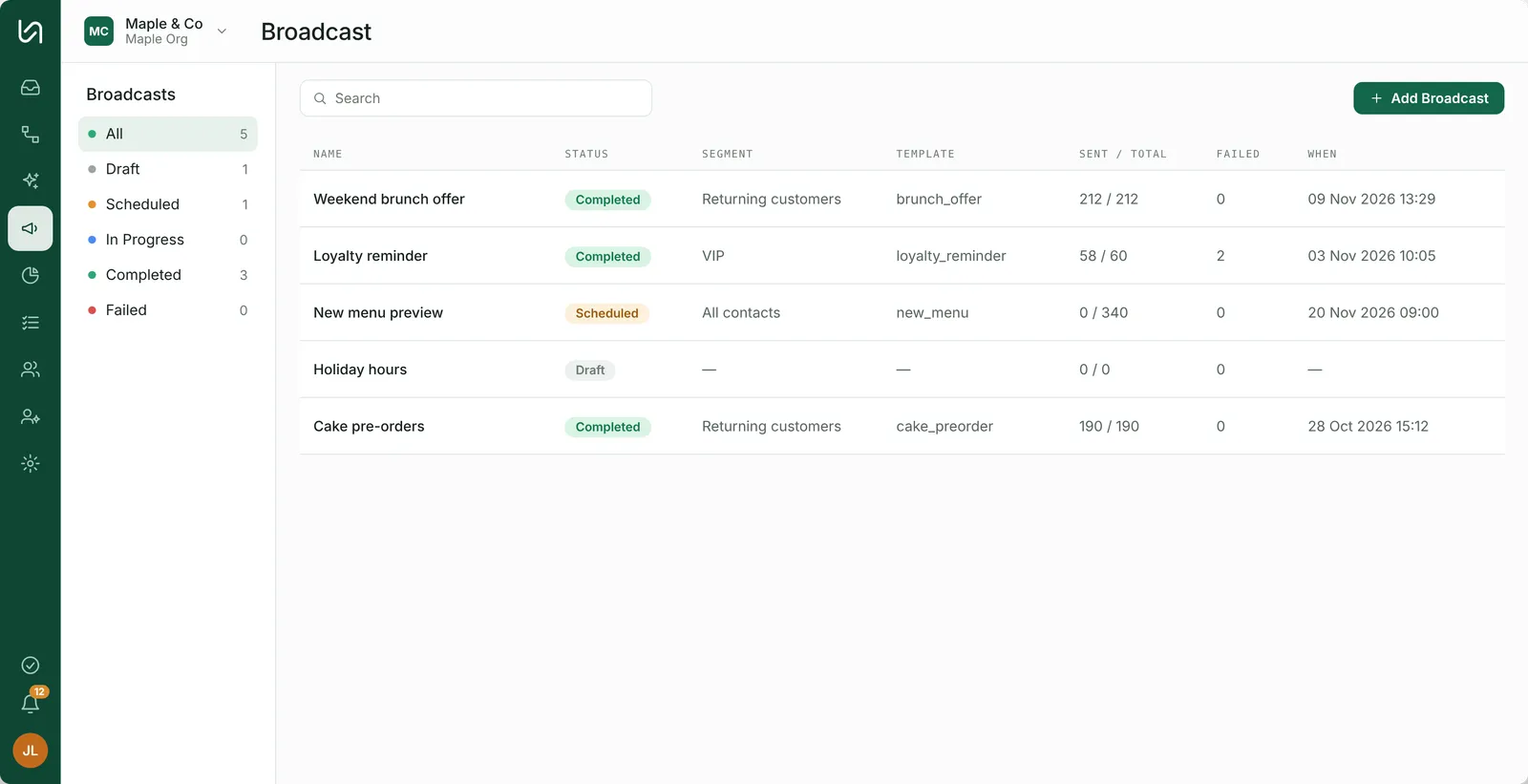
Segment your customers, send WhatsApp campaigns and carry replies into conversations your team and automations can continue.
Broadcasts use approved templates and a connected WhatsApp Business API account. WhatsApp provider fees apply separately.
Act on growing workloads, review what is happening and connect the systems your business already relies on, where they offer a suitable way to connect.
Close, reassign or update selected conversations in one run, with a review step before anything happens.
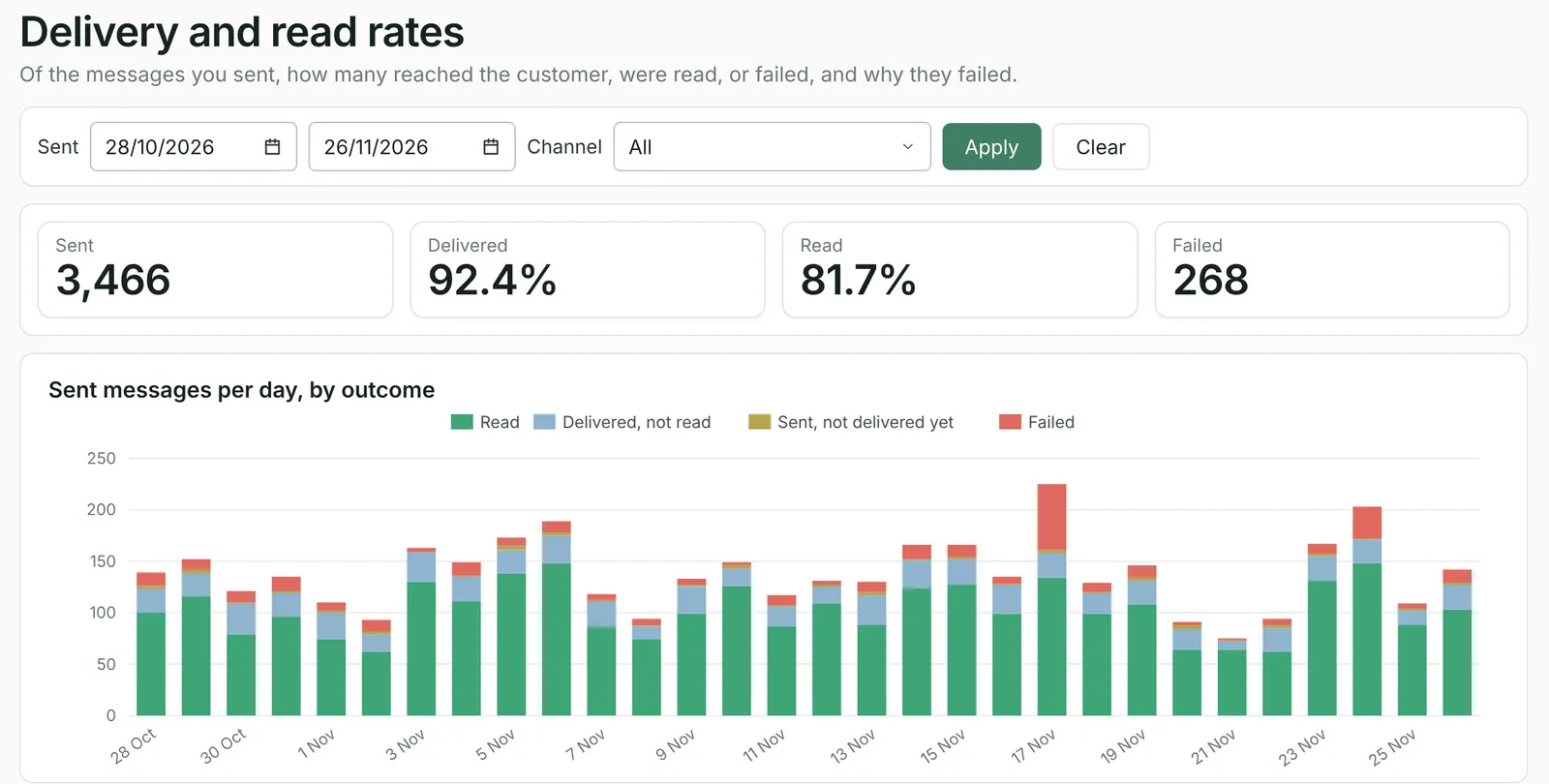
Review conversation activity, response times, team performance and message delivery.
API access, incoming webhooks and HTTP requests can connect conversations with your business systems. Feasibility depends on those systems, their APIs and the implementation required.
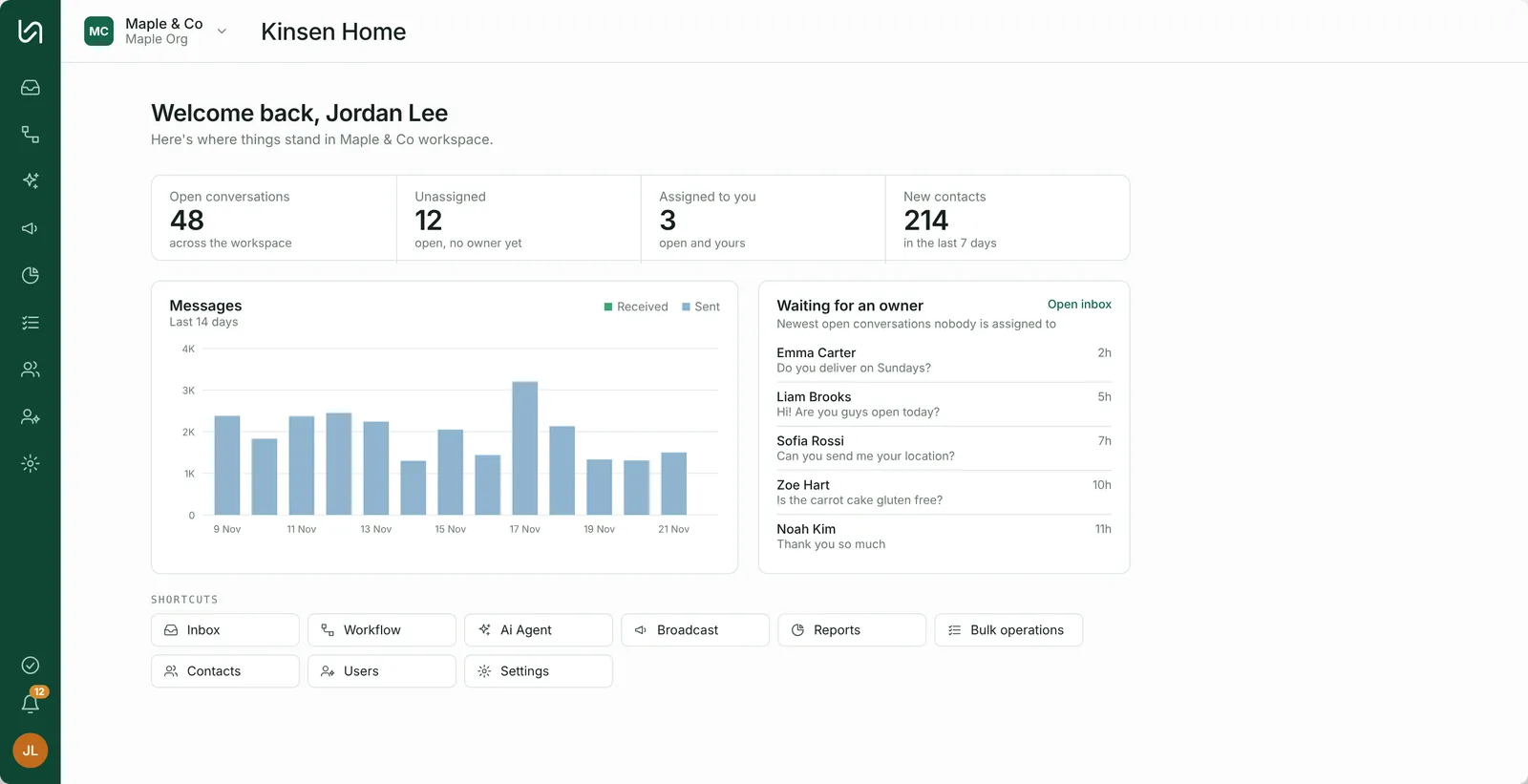
Screens show sample Maple & Co data. Figures are illustrative, not customer results.
A useful customer record helps whoever replies next. These are the principles we design around.
Data retention depends on your agreement and the applicable policies. Kinsen does not automatically match one person's identity across every channel.
Administrative patient enquiries, appointment requests, approved service information and patient communication.
Explore HealthcareProduct enquiries, sales qualification, targeted campaigns, order communication and after-sales assistance.
Explore Retail & Consumer BrandsReservation enquiries, guest assistance, transportation requests, departmental routing and guest feedback.
Explore Tourism & HospitalityConfigure Kinsen independently, or choose optional professional implementation: onboarding, migration, AI Agent configuration, custom workflows and system integrations. Migration scope depends on your source platform and the data available.
Explore Professional ServicesSearch by feature or browse by product category, with the main dependencies noted.
Kinsen is an AI-powered customer conversation management platform that brings supported messaging channels, AI Agents, workflow automation, customer information and operational tools together.
Kinsen currently supports WhatsApp Business API, Instagram and Facebook Messenger.
Configured AI Agents assist with customer enquiries within their instructions and permissions. Workflows run structured steps such as questions, conditions, routing and actions. Both need configuration and testing.
Yes. Kinsen supports shared inboxes, teams, conversation assignment, internal notes and configurable user permissions.
Kinsen provides API access, incoming webhooks and HTTP requests. Whether a particular system can be connected depends on its available APIs and the implementation required.
Yes, as an optional service. It can include onboarding, migration, AI Agent configuration, workflow development, integrations and ongoing maintenance under agreed arrangements. Migration scope depends on the source platform and data.
Kinsen offers three monthly subscription plans: Plus at EGP 3,900, Pro at EGP 7,900 and Business at EGP 14,900. Explore our subscription plans or contact us to discuss your specific requirements.
See how conversations, people, automation and business systems can work together for your organization.