Healthcare
Collect administrative appointment requests, share approved branch information and route enquiries to the right desk. Not medical advice.

Build structured customer communication processes that collect information, evaluate conditions, direct conversations and perform configured actions. Create automations around the way your business works.
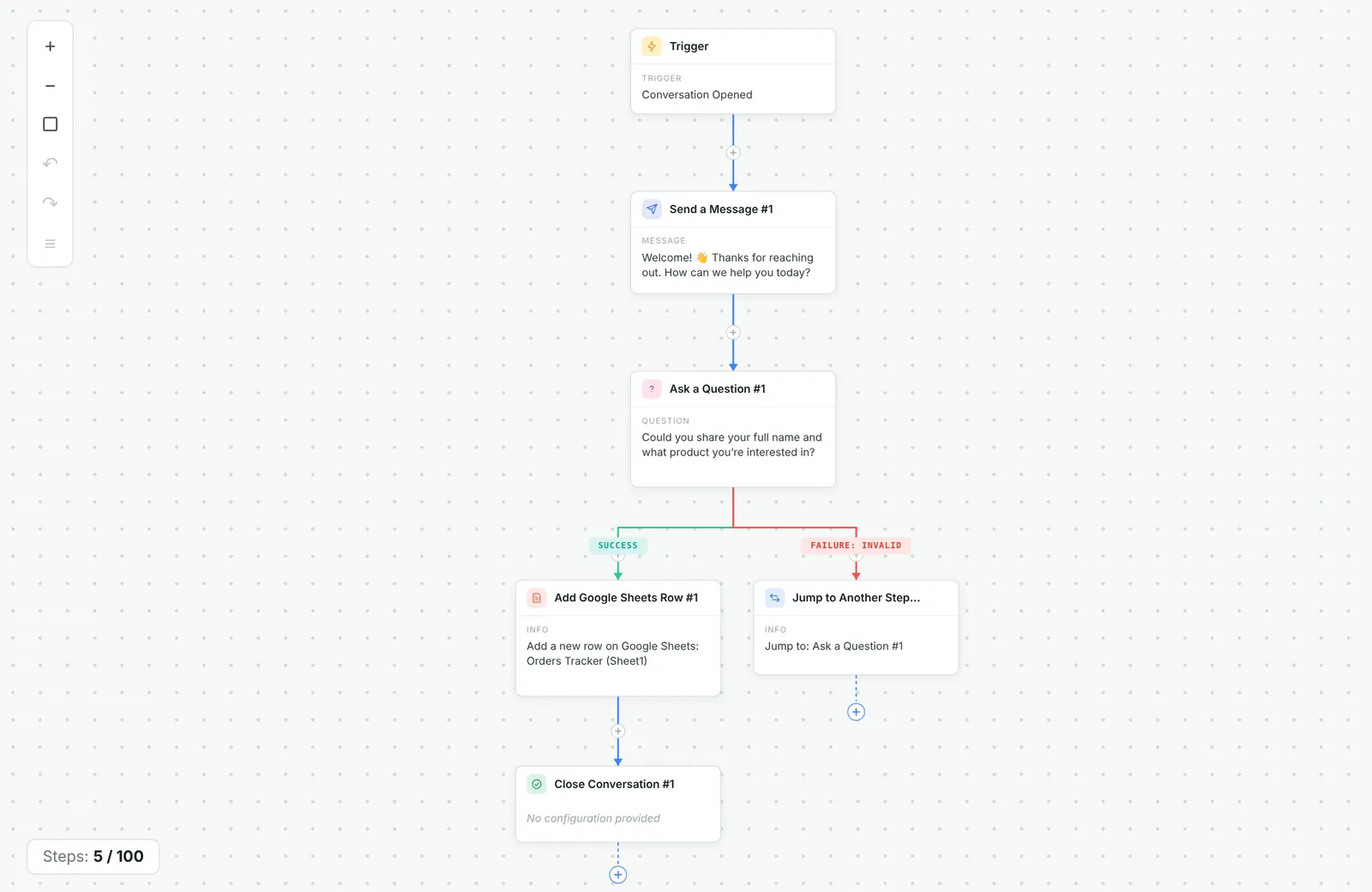
Most customer processes combine these. A workflow uses the ones your process needs.
Decide which event starts the journey.
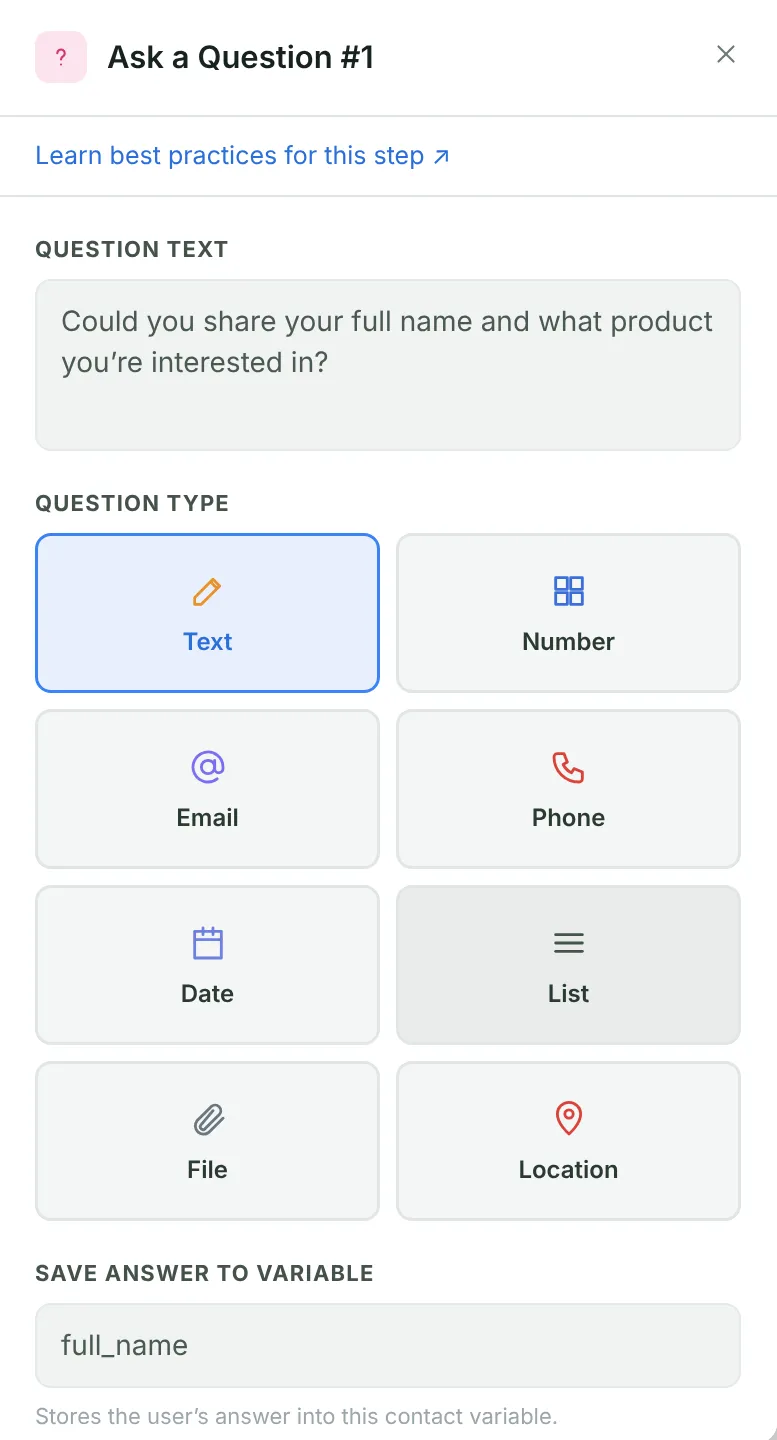
Ask structured questions and save the answers.
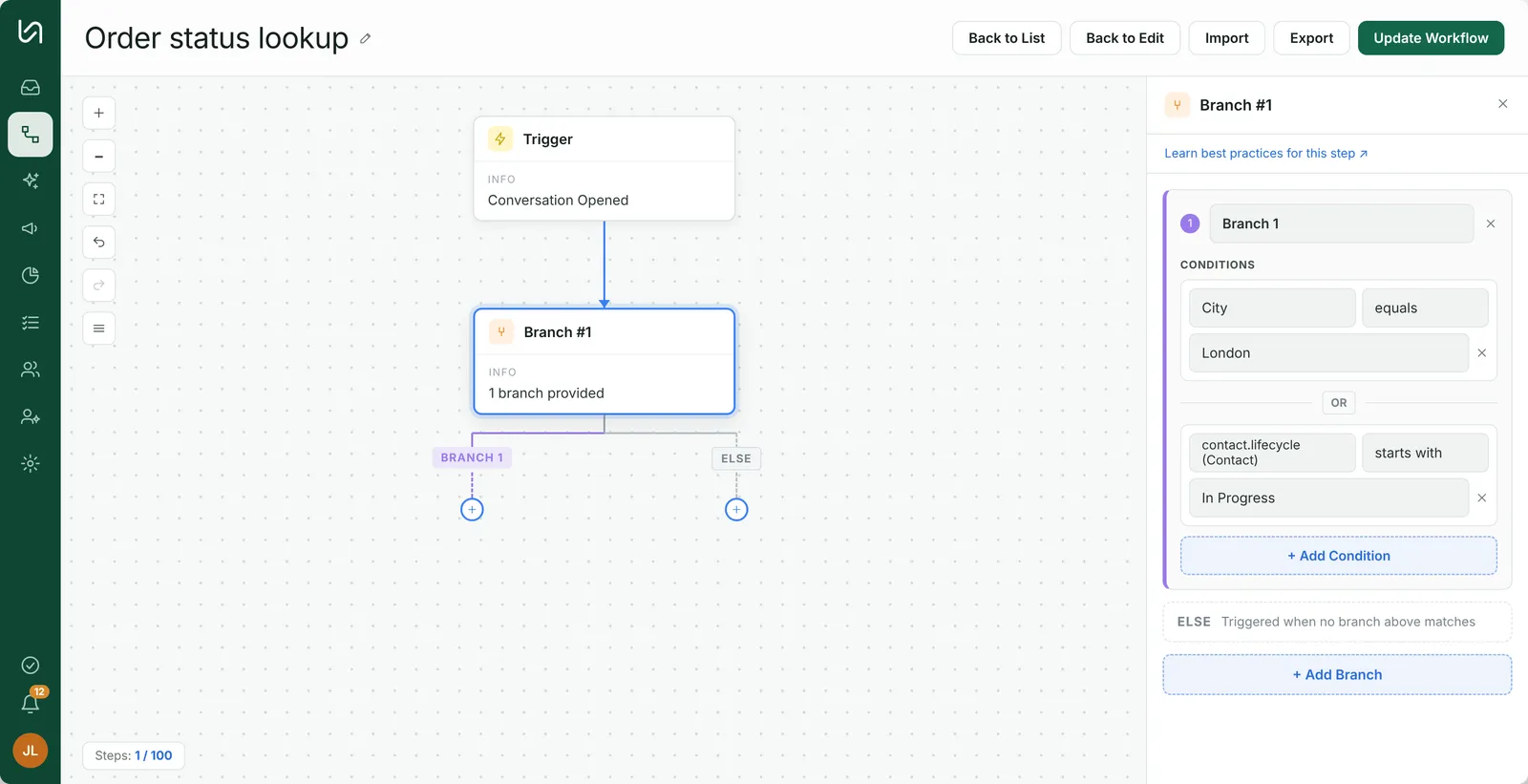
Branch on conditions that you define.
Send messages, update contact information or make a configured request.
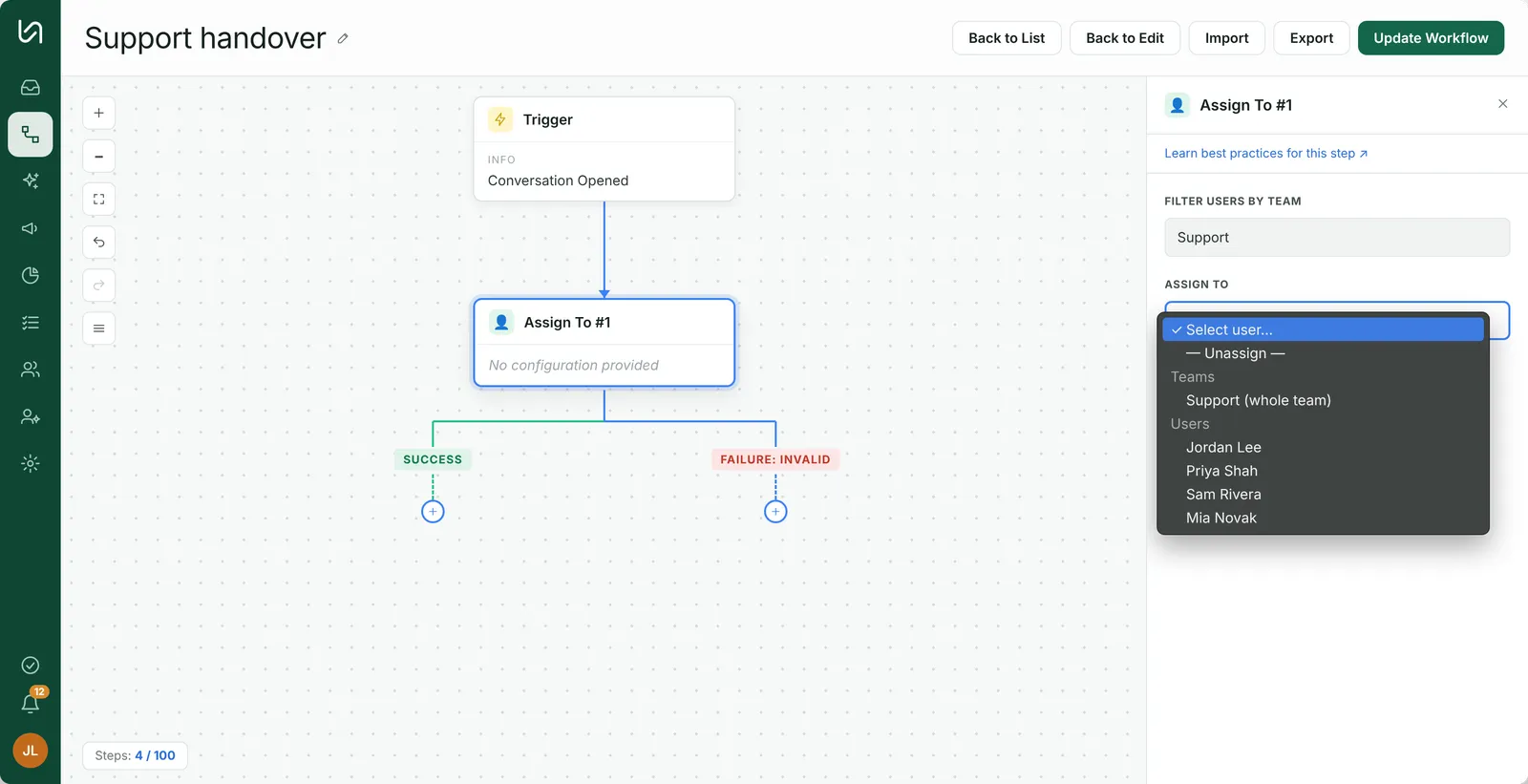
Assign the conversation to the team or person responsible.
Carry on to the next step, move to another step or close the conversation.
Design a journey on a visual canvas. Each step connects to the next, so the people who know the process can read it and check it.
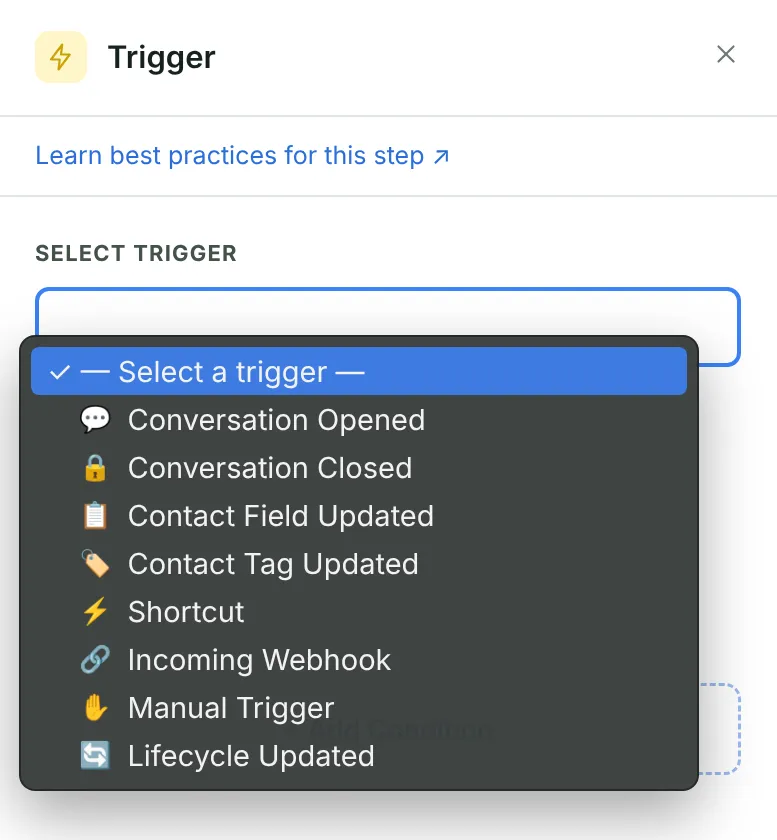
Choose what starts each workflow. The names below match the trigger list in the product.
Choose a scenario. Each shows the question, the customer's answer, the branch taken and where the conversation goes. These are scripted illustrations.
Step 1 of 5
A new conversation starts the workflow.
At this step
Hi, I am looking for cakes for a company event.
Step 2 of 5
A structured question records what the customer needs.
At this step
What can we help you with?
Cupcakes for our office party.
Step 3 of 5
A number question collects the detail your criteria depend on.
At this step
How many do you need?
60
Step 4 of 5
The condition you defined is checked against the saved answer.
At this step
Quantity is 60, so the Sales branch applies.
Step 5 of 5
The conversation is assigned to the Sales team with the answers collected.
At this step
Conversation assigned to the Sales team.
Illustrative scripted walkthrough with made-up data. No message is sent and no workflow or API runs. You define the qualification questions and criteria.
Step 1 of 5
A patient asks to arrange an appointment at a fictional laboratory.
At this step
I would like to book a blood test.
Step 2 of 5
A list question offers the branches you have configured.
At this step
Which branch suits you? Dokki or Maadi.
Dokki
Step 3 of 5
A date question collects the preferred day.
At this step
Which day would you prefer?
Next Tuesday
Step 4 of 5
The answers are saved to contact fields chosen for this workflow.
At this step
Preferred branch: Dokki. Preferred day: Tuesday.
Step 5 of 5
A person checks availability and confirms with the patient.
At this step
Conversation assigned to the reception team.
Thank you. A colleague will confirm your appointment. It is not booked yet.
Illustrative scripted walkthrough with made-up data. No message is sent and no workflow or API runs. Administrative requests only, not medical advice. No appointment is booked automatically.
Step 1 of 5
A teammate starts the transfer workflow for a guest who asked about transport.
At this step
Could you arrange a car from the airport?
Step 2 of 5
The workflow asks when the guest lands.
At this step
When do you land?
Friday at 18:40
Step 3 of 5
A number question records the group size.
At this step
How many passengers?
6
Step 4 of 5
The group size selects the branch your team configured.
At this step
Six passengers, so the larger vehicle branch applies.
Step 5 of 5
The Transport team receives the conversation and the collected details.
At this step
Conversation assigned to the Transport team.
Illustrative scripted walkthrough with made-up data. No message is sent and no workflow or API runs. Nothing is booked. An employee reviews and confirms the arrangement.
Step 1 of 5
A customer replies to an approved template campaign.
At this step
I saw your spring menu message.
Step 2 of 5
The workflow offers clear choices.
At this step
Choose one: Interested. Tell me more. Stop receiving these offers.
Stop receiving these offers.
Step 3 of 5
Each choice follows its own configured path.
At this step
The stop path applies.
Step 4 of 5
The workflow records the preference, for example with a tag your team uses to exclude the contact from later audiences.
At this step
no offers
Step 5 of 5
The customer receives a short acknowledgement. Your team stays responsible for honouring the preference.
At this step
Understood. We have recorded your choice.
Illustrative scripted walkthrough with made-up data. No message is sent and no workflow or API runs. You configure how each reply is handled, including preference records and exclusions.
Answers can be saved to variables and contact information, then checked by later steps.
Configured journeys can also send welcome messages, present menus and quick reply buttons, qualify enquiries and send planned follow-ups. Display depends on the channel, and channel messaging rules apply.
An incoming webhook can start a workflow when another system sends an event. A configurable HTTP request can send or retrieve information during one.
Your system
Kinsen
Request
External API
Continue
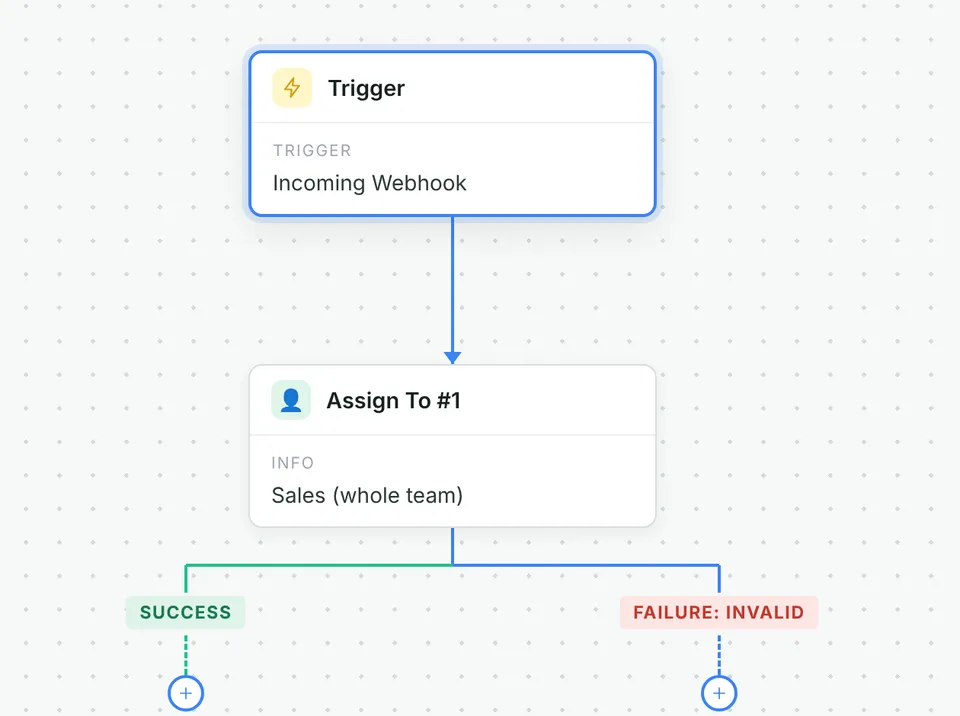
Workflows suit steps that should happen the same way each time. AI Agents suit questions that vary. Your team handles decisions that need judgement.
Your team can start configured shortcut workflows from a customer conversation in the Kinsen mobile app, after confirming the action. The workflows are set up in your Kinsen workspace beforehand.
Examples of journeys that can be configured. Each depends on your rules, channels and connected systems.
Collect administrative appointment requests, share approved branch information and route enquiries to the right desk. Not medical advice.
Greet customers, offer a menu of options, ask for an order number and route the enquiry. Live order details need a suitable connected system.
Gather guest requests such as transfers or room needs, then pass complete details to the responsible team.
Healthcare solutionsRetail & Consumer Brands solutionsTourism & Hospitality solutions
Build workflows yourself, or ask our team to help. Ongoing maintenance is available under an agreed arrangement.
Explore Professional ServicesThe trigger list includes Conversation Opened, Conversation Closed, Contact Field Updated, Contact Tag Updated, Shortcut, Incoming Webhook, Manual Trigger and Lifecycle Updated.
Question steps ask the customer for an answer and save it for later steps. Question types include text, number, email, phone, date, list, file and location. How a choice or file appears depends on the messaging channel.
Yes, where the other system has a suitable API or can send webhooks, you have authority to use it and the connection has been configured and tested.
Workflows and customer-facing AI Agents can be used in the same customer journey. How responsibility passes between them depends on your configuration, so test those paths.
Yes. A workflow can assign a conversation to a whole team or to a named user, according to your rules.
You design the steps, conditions and messages. Workflows can be imported and exported. Review references and settings after an import.
Yes. Professional implementation can cover process discovery, design, configuration, testing and ongoing maintenance under an agreed arrangement.
Bring one process your team repeats every day and we will walk through how it could be designed as a workflow.