Clearing a backlog
Review accumulated conversations and close those that no longer need attention.
Manage growing customer communication workloads through structured bulk actions. Review the scope of an operation, understand its potential impact and carry out supported actions across selected eligible records.
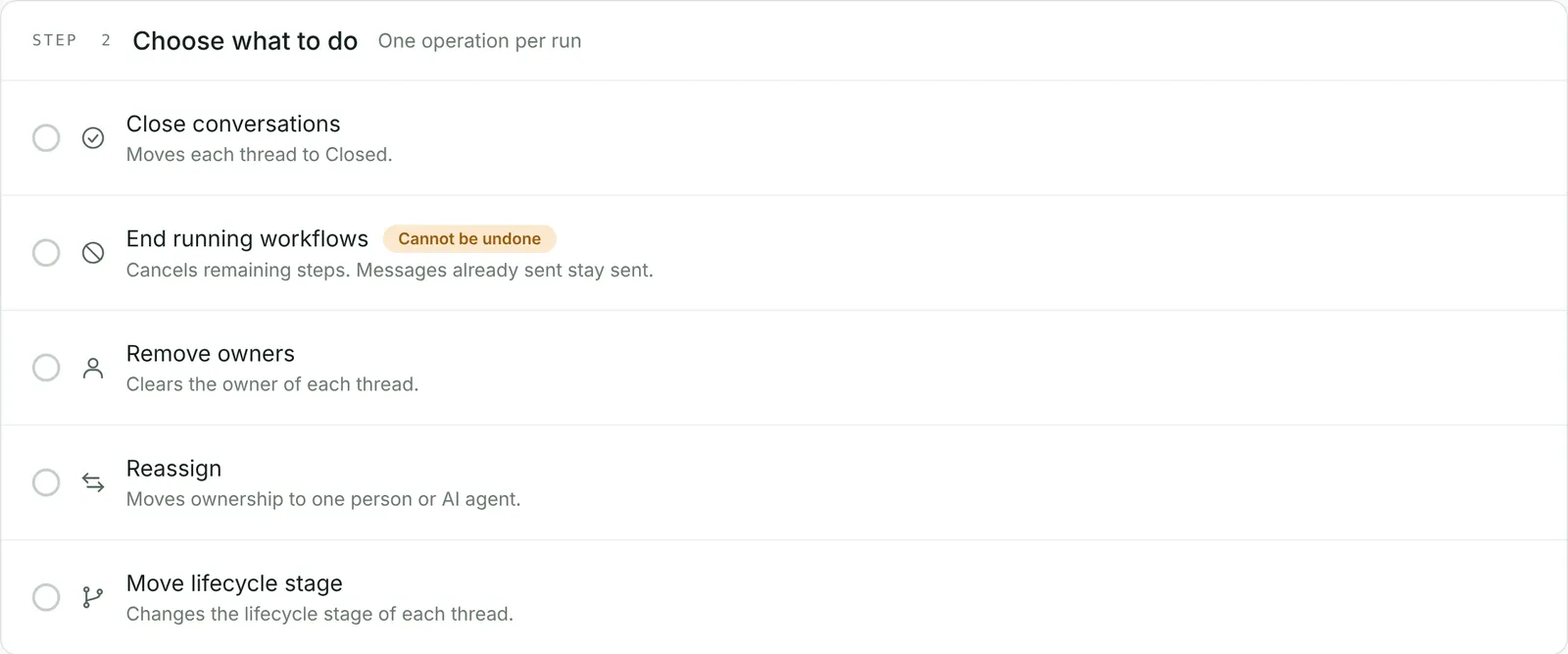
Close selected eligible conversations through a structured bulk action.
Terminate selected running workflow instances where appropriate. Ending a running workflow cannot be undone.
Remove existing owners from selected eligible conversations.
Assign selected eligible conversations to a human team member or an AI Agent, according to supported options.
Update the lifecycle stage of selected eligible customer records.
Select the scope that matches the job, then review the relevant records before continuing.

The administrator running the operation should check that the selected scope contains what they intend, and nothing else, before moving on.
A bulk action changes many records at once. Take the time to check it first, because you should not assume an operation can be reversed or cancelled once it is running.
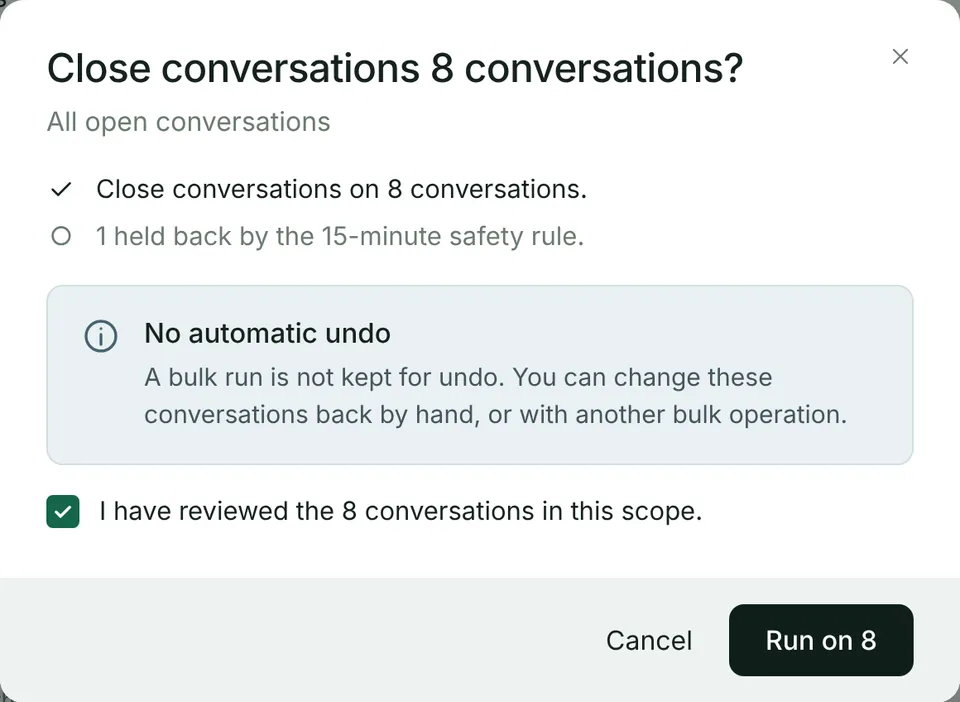

A fictional run, shown to explain the review. It is not a product screen, and nothing is executed.
Review accumulated conversations and close those that no longer need attention.
Remove or change owners where conversations ended up with the wrong person.
Reassign conversations when roles change or work moves to another teammate or AI Agent.
Move relevant customers to the stage that now describes the relationship.
End running workflows that are out of date or no longer needed, knowing this cannot be undone.
A busy campaign or an automated journey can leave many conversations to tidy up. Bulk Operations help administrators close, reassign and organize them, and end running workflows where that is appropriate.
Bulk Operations act on work your team already manages elsewhere in Kinsen.
Work from
Manage
Follow through
Explore Contact ManagementExplore Team ManagementExplore Reporting & Analytics
Our team can help you decide who runs bulk actions, when, and what they check first. This assistance is optional and agreed separately.
Explore Professional ServicesFive: close conversations, end running workflows, remove conversation owners, reassign conversations to a teammate or an AI Agent, and update customer lifecycle stages.
You select the scope and review it before continuing. If you need to select records in a particular way, tell our team so we can confirm what is available.
Yes. A preview shows the number of affected records before you run the operation. Check it against what you expected.
It skips conversations with a recent incoming customer message. The example on this page uses a 15-minute window. Do not assume it applies to every operation or is switched on for you: check the settings shown for your run.
No. Ending running workflows cannot be undone. Confirm that the selected workflows really should stop before you continue.
Yes, reassignment supports a human teammate or an AI Agent, according to the options offered. Check that the AI Agent is configured and tested for the conversations it will receive.
Decide who may run bulk operations, what they check before confirming and when a second person should review. Roles, permissions and your own procedures both matter.
Discover how Kinsen can help your organization manage growing customer communication workloads.