Conversation search
Find a conversation by customer name or number.
The power of your Kinsen Inbox, in your pocket.Manage WhatsApp, Instagram and Messenger conversations, collaborate with your team, work alongside AI Agents and run automations directly from your phone. Everything stays in sync with your desktop workspace in real time.
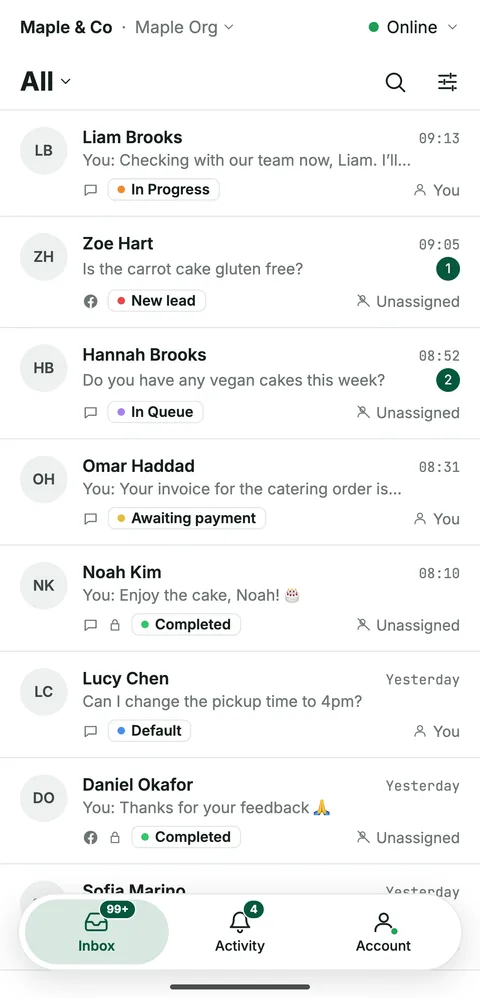
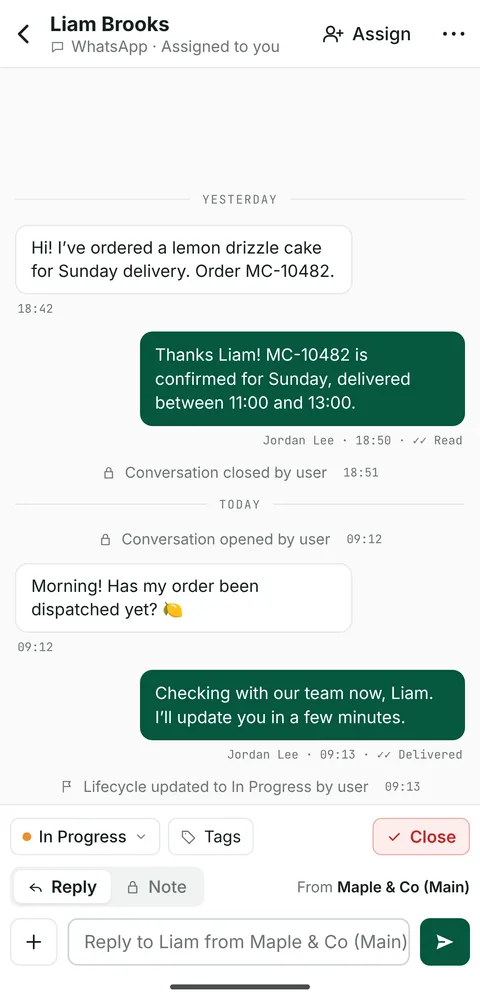
Illustrative app screens with sample Maple & Co data, recreated from the Kinsen mobile app. Details on your device may differ. The screens show the app in English.
The mobile app supports the Inbox functions of your desktop workspace.
Reply on WhatsApp, Instagram and Messenger with text, media and voice messages.
Assign conversations to colleagues, teams or AI Agents, leave internal notes and mention teammates.
View customer profiles and update supported fields, tags and lifecycle stages.
Launch configured shortcut workflows directly from customer conversations.
This applies to the Inbox, not to every part of the Kinsen platform.
Start a conversation at your desk and continue it from your phone. Messages, assignments, notes, customer information and conversation updates stay synchronized across your Kinsen workspace in real time.
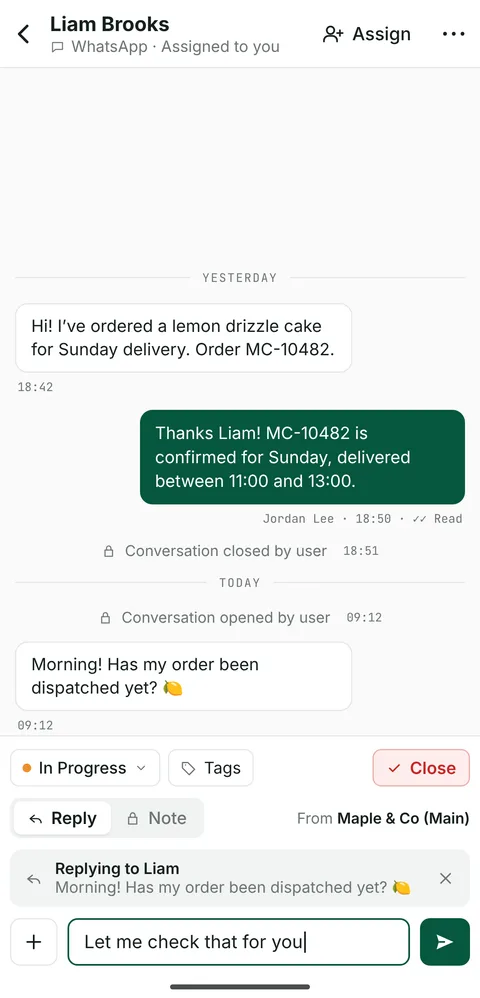
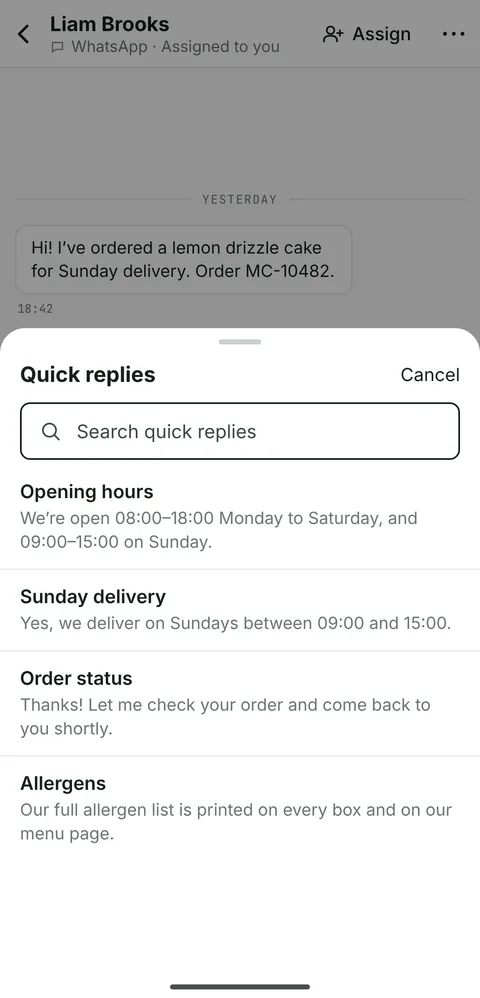
Continue customer conversations across WhatsApp, Instagram and Messenger from a single mobile inbox. Reply with text, images, videos, documents and voice messages, without switching between separate messaging applications.
Each channel must be connected to your workspace, and its messaging rules still apply, including WhatsApp's template approval and messaging window. Supported media depends on the channel.
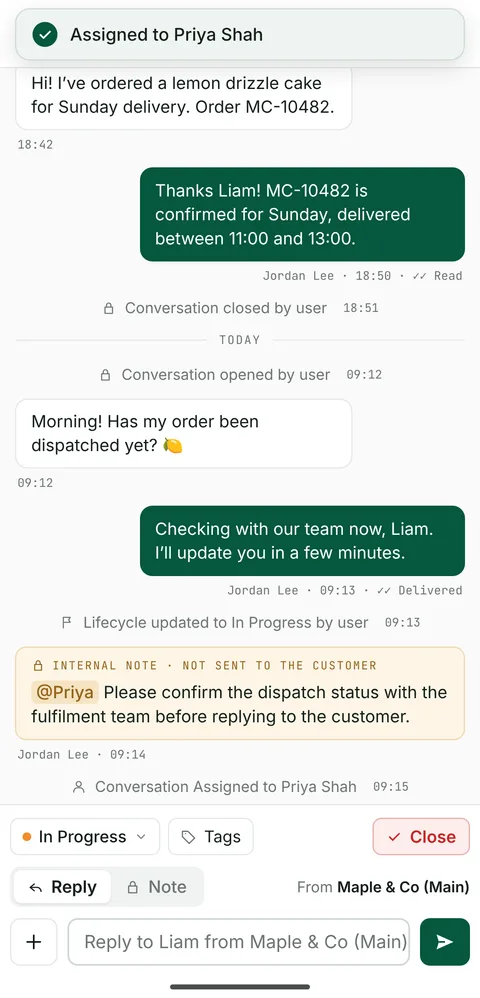
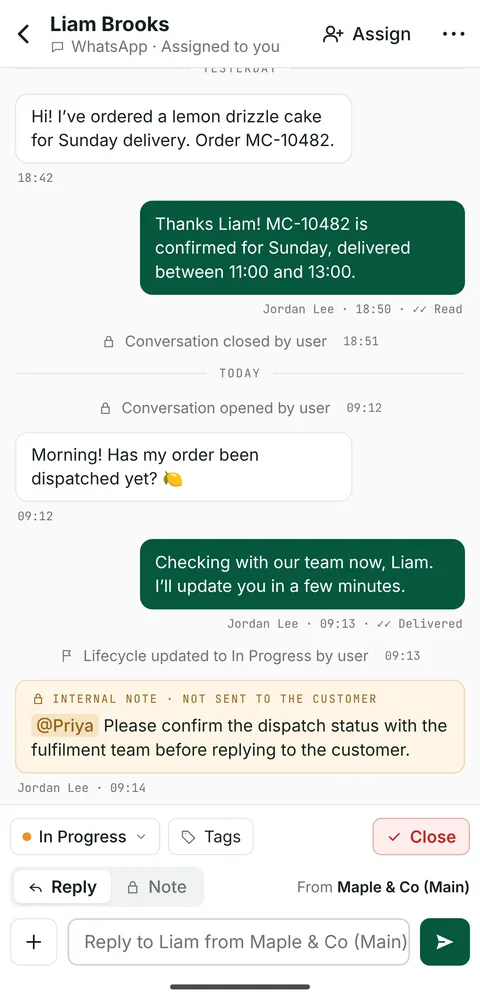
Assign conversations to colleagues, teams or AI Agents directly from your phone. When a conversation needs personal attention, take over from the AI Agent and continue with the conversation history in view.
AI Agents work as they are set up in your Kinsen workspace.
Receive push notifications on your mobile device and stay informed about customer communication while working away from your desktop.
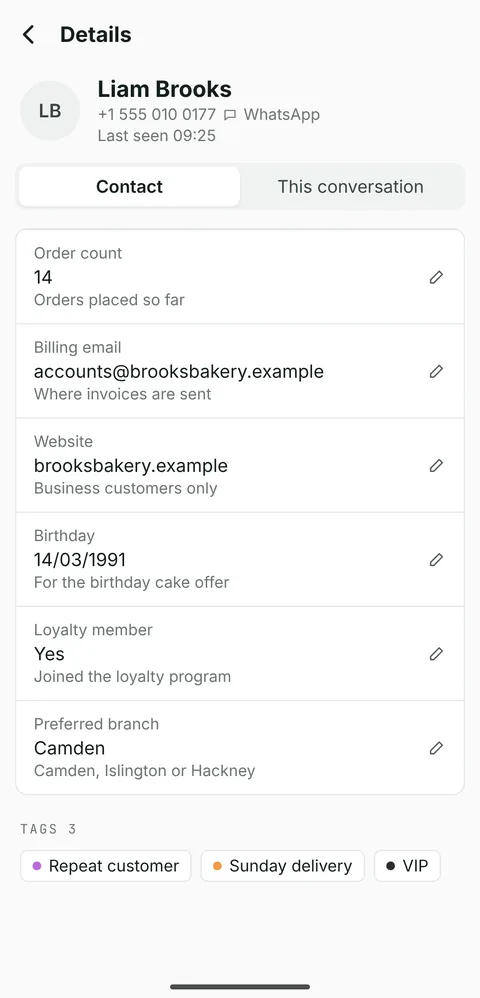
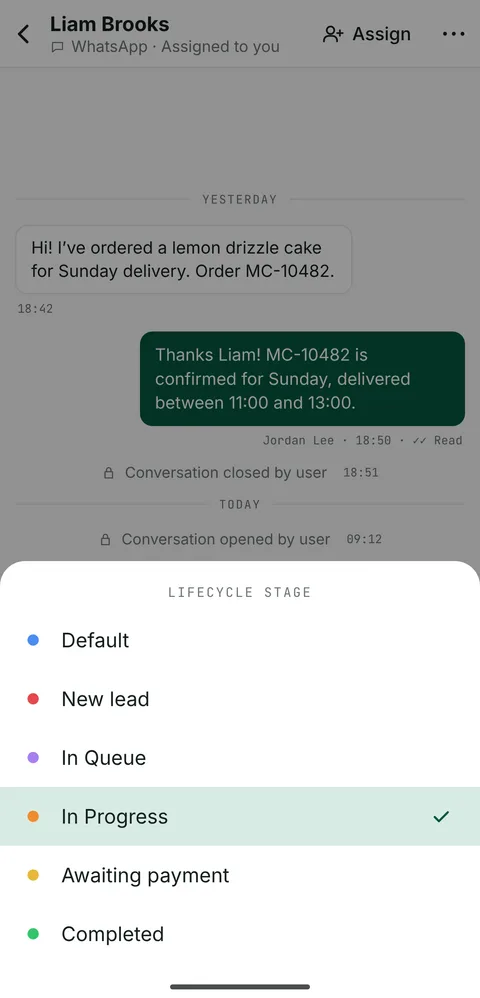
View customer profiles, update relevant custom fields, manage tags and change lifecycle stages while handling customer conversations.
Not every profile field can be edited in the app.
Your team doesn't need to return to a desktop to start a prepared customer workflow. Launch configured automations directly from the mobile inbox.
The app starts workflows that are already set up to run from a shortcut. A run starts straight away, replaces any workflow already running on that conversation and may message the customer, so the app asks you to confirm first.
Explore Workflow Automation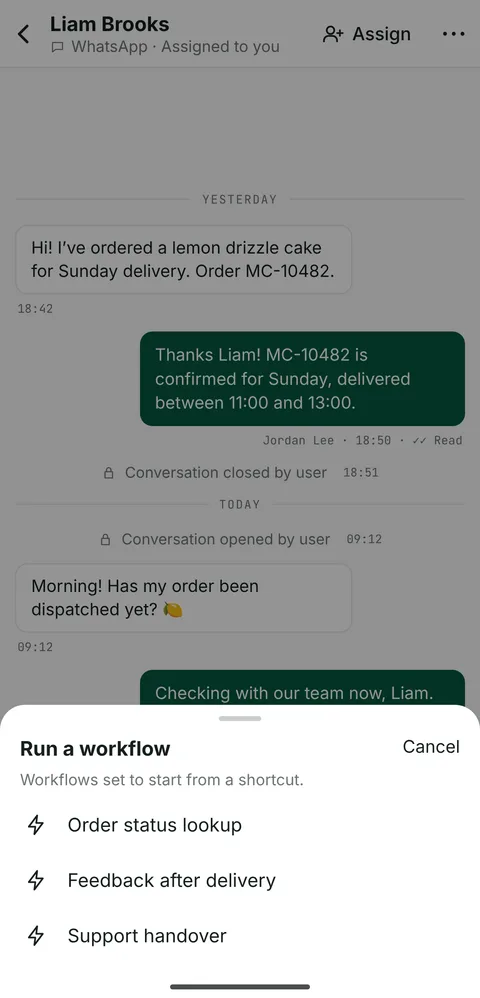
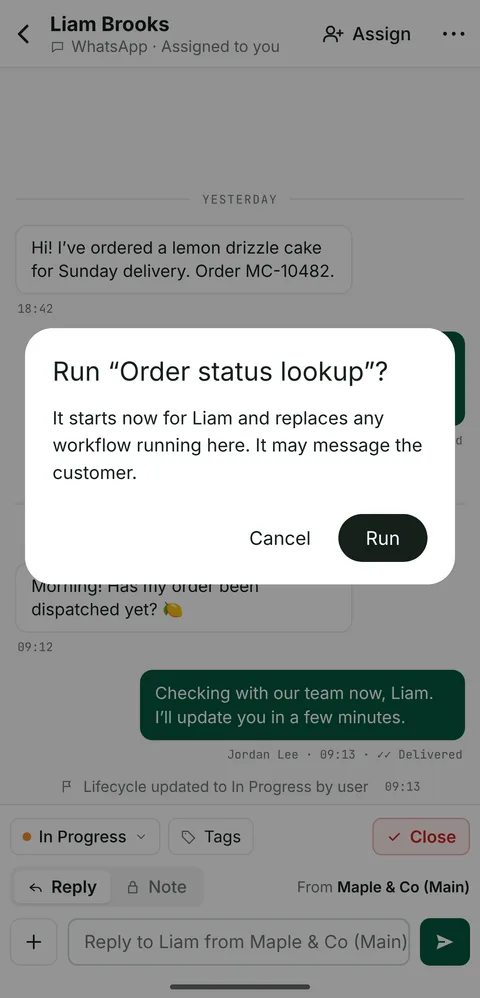
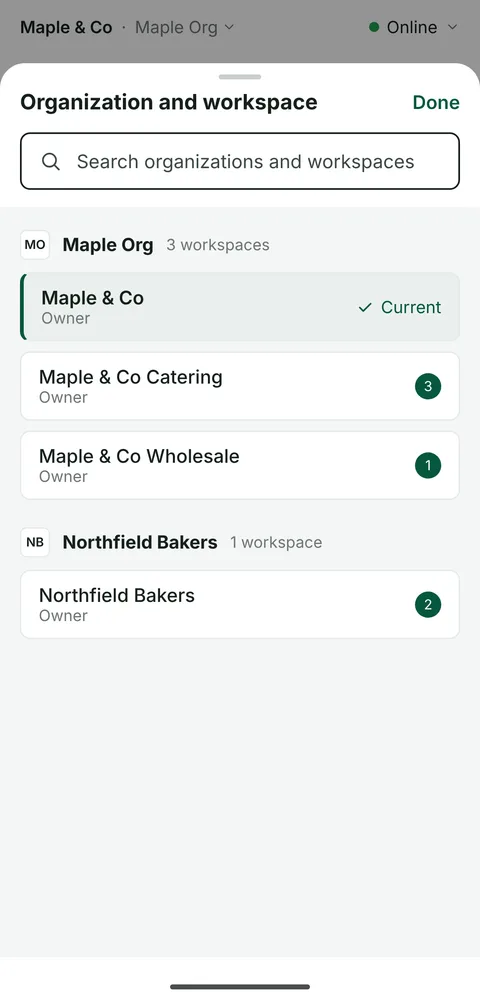
Switch between the organizations and workspaces you have access to without signing out. Keep track of unread conversations across your workspaces.
Work in English or Arabic on both iOS and Android, with a right-to-left Arabic interface and a choice of light or dark appearance.
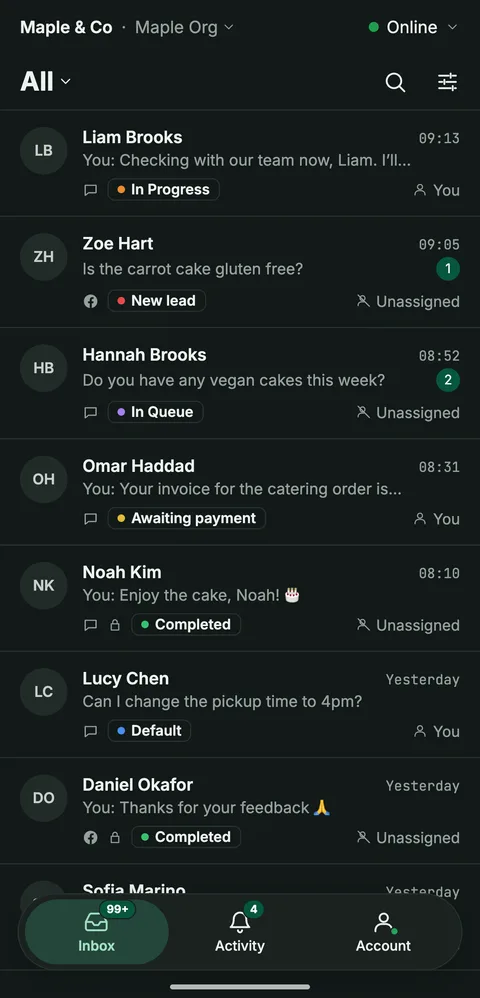
These screens describe the mobile app's interface, not the desktop workspace. Customer messages and workspace data appear in the language they were written in.
Find a conversation by customer name or number.
Sort conversations by recent activity.
Close a conversation and reopen it when you need to.
Review recent activity inside the app.
Sign in with a code sent to your email.
Review signed-in devices and sign other phones out remotely.
Examples of how teams can use the app. They are illustrations, not customer case studies.
Reply to guests on WhatsApp, Instagram and Messenger, share documents or voice messages, and hand conversations to a colleague or team while working throughout the property.
Explore the solution: Tourism & HospitalityAnswer product enquiries with photos or videos, update customer information and coordinate sales conversations with your team while working on the shop floor.
Explore the solution: Retail & Consumer BrandsFor administrative communication, not medical advice.
Help administrative teams coordinate patient enquiries and appointment requests, assign them to the right team and stay informed through push notifications.
Explore the solution: HealthcareReview customer conversations, assign responsibilities to employees, teams or AI Agents and follow up on outstanding enquiries while moving between locations.
Explore the solution: Operations & ManagementThe Kinsen app is available for iOS and Android. Ask our team about setting it up for your workspace.
The Kinsen app is available for iOS and Android.
Work in your Kinsen Inbox: message customers, search, sort and filter conversations, start new ones, assign and collaborate, view and update supported customer information, and start configured shortcut workflows.
WhatsApp, Instagram and Facebook Messenger. Each channel must be connected to your workspace, and its messaging rules apply.
Yes. You can send images, videos, documents and voice messages. Supported media depends on the channel.
Yes. It synchronizes with your desktop workspace in real time, and it supports the desktop Inbox functions. This applies to the Inbox, so ask our team about other parts of Kinsen.
Yes. You can assign a conversation to an employee, a team or an AI Agent.
Yes. You can take over from the AI Agent and continue with the conversation history in view.
Yes, the app supports push notifications on your mobile device.
Yes, you can start configured shortcut workflows from a customer conversation. The workflows need to be set up in your Kinsen workspace first.
Yes. The app offers English and a right-to-left Arabic interface on both iOS and Android.
Yes. If you have access to more than one organization or workspace, you can switch between them without signing out.
Discover how Kinsen helps your team stay connected to customer conversations, even away from the desktop.